What Is Workflow Automation? Real Examples for Small Businesses
By Paperza Editorial Team
|
19 Nov 2026
|
18 min read
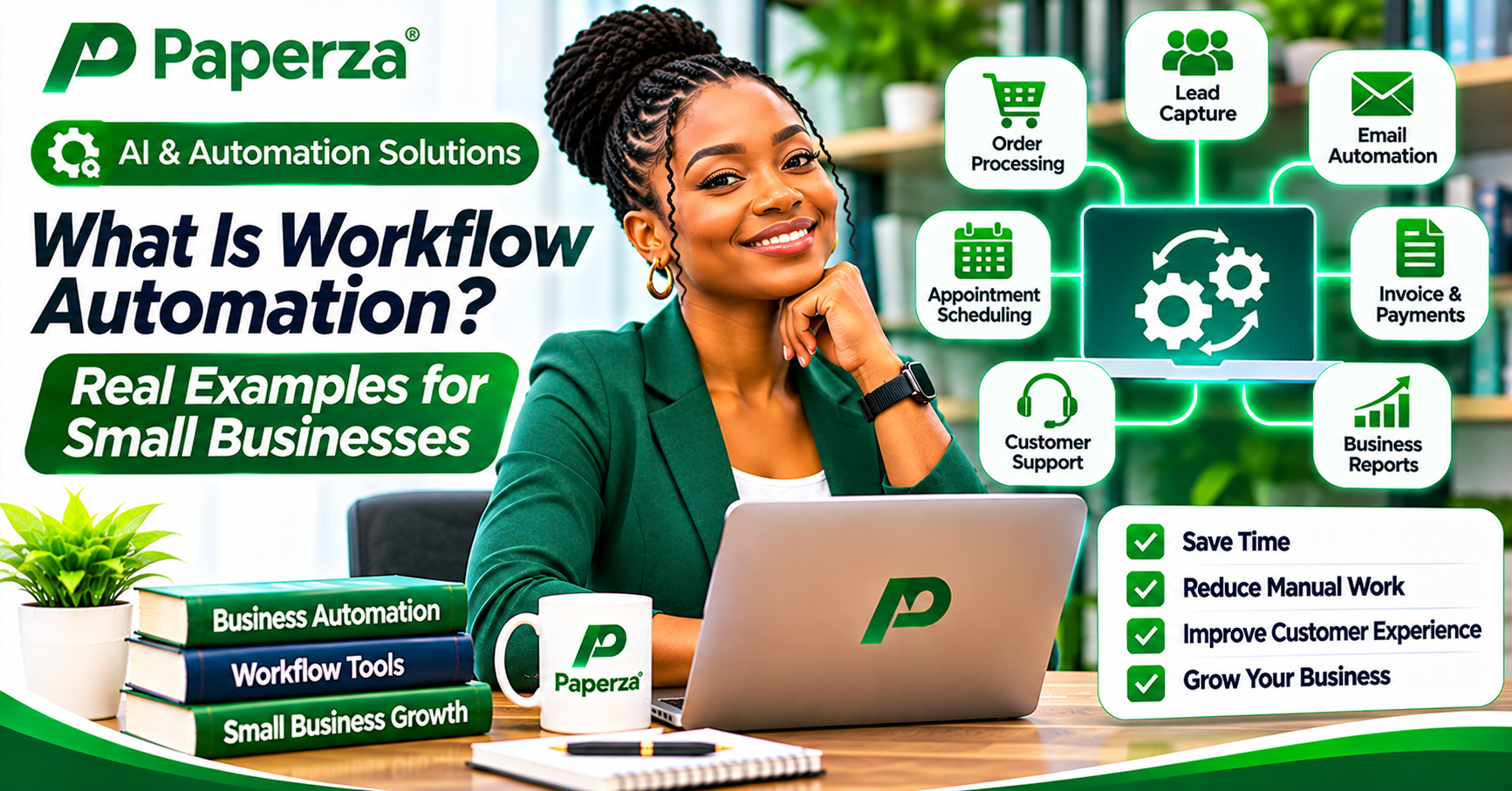
Running a small business often involves managing customer enquiries, processing orders, sending invoices, scheduling appointments, updating spreadsheets, and completing other repetitive administrative tasks.
Although these activities are essential, performing them manually can consume valuable time and limit business growth.
Workflow automation helps businesses simplify these processes by connecting applications, automating repetitive tasks, and reducing unnecessary manual intervention.
Whether you operate an online store, consulting agency, technology startup, or professional services company, automation can help you manage daily operations more efficiently.
This guide explains what workflow automation is, how it works, and practical examples of how small businesses can use automation to improve productivity and customer experience.
Businesses looking for professional implementation support can explore AI & Automation Solutions on Paperza.
What Is Workflow Automation?
Workflow automation is the use of software to execute repetitive business tasks according to predefined instructions, conditions, and triggers.
Instead of requiring employees to complete every step manually, automation allows connected systems to perform routine activities with minimal human intervention.
For example, when a customer completes an enquiry form on a business website, an automated workflow can:
- Record the customer's information in a CRM system.
- Send a confirmation email.
- Notify the sales team.
- Create a follow-up task.
- Update the company's reporting dashboard.
These activities can occur automatically without requiring an employee to transfer information between different applications.
Workflow automation can be implemented using simple rule-based systems, advanced software integrations, or artificial intelligence.
How Does Workflow Automation Work?
Most automated workflows contain four fundamental components.
| Component | Description | Example |
| Trigger | An event that starts the workflow | A customer submits a form |
| Condition | A rule that determines the next action | The customer requests a premium service |
| Action | A task performed automatically | Send a notification to the sales team |
| Outcome | The result of the automated process | The customer receives a timely response |
A workflow can contain one action or multiple connected activities.
For example:
Customer submits an enquiry → Contact details are saved → Confirmation email is sent → Sales representative receives a notification → Follow-up task is created.
Once configured and tested, the workflow can repeat whenever a qualifying enquiry is received.
Workflow Automation vs. AI Automation
Workflow automation and AI automation are closely related, but they are not identical.
Traditional workflow automation follows predefined instructions. AI automation uses artificial intelligence to interpret information, generate content, classify requests, or support decisions.
| Feature | Workflow Automation | AI Automation |
| Operating method | Predefined rules | AI-assisted interpretation |
| Decision-making | Fixed conditions | Context-dependent outputs |
| Typical application | Sending invoices | Extracting invoice information |
| Customer support | Automatic ticket routing | Understanding customer questions |
| Complexity | Simple to advanced | Often requires additional evaluation |
| Human oversight | Depends on the process | Particularly important for sensitive decisions |
For example, traditional automation can send a confirmation email whenever a customer places an order.
AI automation can analyse a customer message, identify the type of enquiry, and prepare a suggested response.
Businesses can combine both approaches to create more capable workflows.
Why Is Workflow Automation Important for Small Businesses?
Small businesses frequently operate with limited budgets, employees, and administrative resources.
Automation can help these businesses manage growing operational demands without increasing manual work at the same rate.
Saves Time
Employees can spend less time transferring information, sending routine emails, and updating business records.
Reduces Manual Errors
Automated data transfers can reduce mistakes caused by repetitive manual entry, provided the workflows are configured correctly.
Improves Customer Response Times
Customers can receive immediate confirmations, order updates, and appointment reminders.
Supports Business Growth
Well-designed workflows can help businesses manage increasing transaction volumes without requiring proportional increases in administrative work.
Improves Operational Visibility
Automated reporting can help business owners monitor sales, customer enquiries, project progress, and financial activities.
Creates Consistent Business Processes
Automation helps ensure that routine tasks follow agreed procedures rather than depending entirely on individual employees.
15 Practical Workflow Automation Examples for Small Businesses
The following examples illustrate how businesses can automate everyday operations. They are representative scenarios rather than documented case studies.
1. Customer Lead Capture Automation
Many businesses receive customer enquiries through websites, social media campaigns, advertisements, and contact forms.
Manually collecting and organising these enquiries can result in delayed responses and missed sales opportunities.
An automated lead capture workflow can:
- Collect customer information from a website form.
- Create a contact in a CRM platform.
- Send a confirmation email.
- Notify the appropriate sales representative.
- Schedule a follow-up reminder.
For example, a web development agency could automatically record every project enquiry in its CRM system and assign the request to an available team member.
This helps ensure that potential customers receive timely attention.
2. Automated Customer Onboarding
Customer onboarding involves collecting information, sharing instructions, preparing agreements, and introducing clients to business processes.
An automated onboarding workflow could begin when a customer completes a payment or signs a service agreement.
The system can then send a welcome email, provide an onboarding questionnaire, create a project folder, assign internal tasks, and schedule an introductory meeting.
This is particularly useful for marketing agencies, consultants, accountants, software development companies, and other service-based businesses.
3. Invoice and Payment Reminder Automation
Manually preparing invoices and following up on unpaid balances can become time-consuming.
An automated invoicing workflow can generate invoices from approved transaction records, send them to customers, monitor payment status, and issue reminders when appropriate.
For example, a consulting business could automatically send a payment reminder three days before an invoice becomes due.
Once the payment is confirmed, the system can update the invoice status and stop further reminders.
Businesses should maintain appropriate approval controls and verify payment information before automating financial activities.
4. E-Commerce Order Processing Automation
Online stores often manage multiple activities whenever a customer places an order.
These activities may include payment verification, inventory updates, shipping arrangements, and customer communication.
An automated e-commerce workflow can:
- Confirm successful payment.
- Update inventory records.
- Send an order confirmation.
- Notify the fulfilment team.
- Share tracking information.
- Update the customer's order status.
For example, a Shopify store can connect its order management system with inventory software and email marketing tools.
This reduces repetitive administrative work and helps customers receive consistent updates.
5. Abandoned Cart Recovery Automation
Potential customers sometimes add products to their shopping carts without completing a purchase.
An automated abandoned cart workflow can identify eligible incomplete purchases and send reminders according to the business's communication policies.
A typical workflow could send a reminder after several hours, followed by another message if the purchase remains incomplete.
Once the customer completes the purchase, the workflow should stop sending recovery messages.
Businesses should respect applicable privacy requirements, consent rules, and communication preferences.
6. Appointment Scheduling Automation
Businesses that rely on appointments can automate scheduling, confirmations, and reminders.
For example, a beauty salon, consulting agency, or training centre could allow customers to select available appointment times through an online booking system.
The automation can:
- Confirm the selected appointment.
- Update the business calendar.
- Send booking details.
- Issue appointment reminders.
- Notify staff of cancellations or rescheduling.
This reduces the need for repeated telephone calls and manual scheduling.
7. Customer Support Ticket Automation
Customer support teams frequently receive enquiries about payments, deliveries, account access, and product information.
An automated support workflow can create a support ticket whenever a customer submits a request.
The ticket can then be categorised and assigned to the appropriate department.
AI-assisted systems can help interpret customer messages and suggest responses, while human agents handle complex complaints and sensitive issues.
Businesses interested in implementing automated support systems can explore AI and automation development services on Paperza.
8. Email Marketing Automation
Email marketing automation allows businesses to send relevant messages based on customer activities and preferences.
Examples include welcome emails, product announcements, educational email sequences, renewal reminders, and post-purchase follow-ups.
For example, when a customer subscribes to a business newsletter, an automated sequence could introduce the company's services over several days.
The workflow should respect unsubscribe requests and avoid sending irrelevant or excessive messages.
9. Social Media Content Scheduling
Maintaining an active social media presence can require significant time and coordination.
Businesses can use automation to organise approved content, schedule posts, notify team members about upcoming publications, and collect performance data.
A marketing agency could create a workflow that moves approved content from a planning spreadsheet into a scheduling platform.
Human review should remain part of the process, particularly when publishing AI-generated content or responding to sensitive customer comments.
10. Employee Onboarding Automation
Hiring new employees involves collecting documents, preparing training materials, creating accounts, and assigning responsibilities.
An automated employee onboarding workflow can send welcome information, distribute approved documents, create training tasks, and notify relevant departments.
For example, when a new employee's start date is confirmed, the system can schedule onboarding activities and remind managers to complete necessary preparations.
Access to confidential employee information should be restricted to authorised personnel.
11. Project Management Automation
Businesses managing multiple client projects often need to create tasks, assign responsibilities, monitor deadlines, and communicate progress.
An automated project management workflow can create a standard project structure whenever a new client order is confirmed.
For example, a graphic design agency could automatically create tasks for research, concept development, design review, revisions, and final delivery.
Team members can receive reminders when deadlines approach or project stages change.
This helps maintain consistency across multiple projects.
12. Inventory Management Automation
Retailers and e-commerce businesses need accurate inventory information to avoid stock shortages and fulfilment problems.
An automated inventory workflow can monitor stock levels and notify the appropriate employee when products reach a predefined threshold.
For example, when a product's available quantity falls below ten units, the system could create a restocking request.
Automatic purchasing should be subject to appropriate spending limits and approval controls.
13. Document Management Automation
Businesses frequently receive contracts, invoices, receipts, reports, and other documents through email or online forms.
An automated document workflow can organise files into designated folders, apply consistent naming conventions, notify relevant employees, and update document registers.
AI-assisted document processing can also help extract information from invoices and forms.
Important extracted information should be validated before being used in financial, legal, or other sensitive processes.
14. Business Reporting and Dashboard Automation
Business owners often spend time collecting information from sales platforms, spreadsheets, marketing tools, and financial systems.
Reporting automation can consolidate selected information into a central dashboard.
For example, a small business could receive a weekly report containing:
- Total sales.
- New customer enquiries.
- Completed orders.
- Outstanding invoices.
- Advertising expenditure.
- Customer acquisition metrics.
- Project completion rates.
Automated reporting can help business owners identify operational problems and make more informed decisions.
15. Customer Feedback Automation
Collecting customer feedback helps businesses understand service quality and identify areas for improvement.
An automated workflow can send a feedback request after an order is completed or a service is delivered.
Responses can be recorded in a spreadsheet or CRM system, and complaints can be assigned to the appropriate team.
Businesses should request genuine feedback rather than attempting to manipulate customer ratings or suppress legitimate criticism.
Workflow Automation Examples by Industry
Different businesses have different operational requirements.
| Business Type | Recommended Automation |
| E-commerce store | Order processing, inventory alerts and customer emails |
| Marketing agency | Lead capture, client onboarding and campaign reporting |
| Consulting business | Appointment scheduling, invoicing and project management |
| Restaurant | Reservation confirmations and customer feedback |
| Real estate agency | Property enquiries and appointment scheduling |
| Education business | Student registration and course reminders |
| Software startup | User onboarding, support tickets and product analytics |
| Freelance marketplace | Order notifications, payment status and seller onboarding |
| Accounting firm | Document collection and invoice reminders |
| Recruitment agency | Application tracking and interview scheduling |
The most suitable workflow depends on the business's existing systems, transaction volume, and operational challenges.
Best Workflow Automation Tools for Small Businesses
Several platforms allow businesses to connect applications and automate tasks without developing every integration from scratch.
| Automation Tool | Suitable Applications |
| Zapier | Connecting popular business applications |
| Make | Visual multi-step automation workflows |
| n8n | Customisable and technically advanced workflows |
| Microsoft Power Automate | Microsoft 365 and business process integration |
| HubSpot | Sales, marketing and CRM automation |
| Shopify Flow | E-commerce operations and store automation |
| Airtable | Database-driven business workflows |
| Google Apps Script | Custom automation within Google Workspace |
The best platform depends on your technical requirements, software subscriptions, integration availability, security needs, and budget.
For example, a business using Microsoft 365 may prefer Power Automate, while a company connecting several independent web applications may consider Zapier or Make.
Businesses requiring greater technical flexibility may benefit from n8n or custom API integrations.
No-Code vs. Custom Workflow Automation
Businesses can implement automation through no-code platforms or custom software development.
No-Code Workflow Automation
No-code platforms provide visual interfaces for connecting applications and configuring automated actions.
They can be useful for straightforward integrations, customer notifications, form submissions, and routine data transfers.
Custom Workflow Automation
Custom automation involves developing software integrations using APIs, webhooks, databases, and programming languages.
This approach may be more suitable for businesses with complex requirements, proprietary software, advanced security needs, or high transaction volumes.
| Factor | No-Code Automation | Custom Automation |
| Setup complexity | Generally lower | Generally higher |
| Initial development | Often faster | Depends on project scope |
| Flexibility | Limited by platform capabilities | Greater customisation potential |
| Maintenance | Platform and workflow management | Software and infrastructure management |
| Best for | Standard business processes | Complex or specialised operations |
Many businesses begin with no-code automation and introduce custom development as their requirements become more advanced.
How Much Does Workflow Automation Cost?
Workflow automation costs depend on the number of connected applications, workflow complexity, transaction volume, development requirements, and ongoing maintenance.
The following figures are illustrative project budgeting examples in US dollars.
| Automation Service | Illustrative Budget |
| Simple application integration | $50–$150 |
| Basic lead capture automation | $100–$300 |
| Customer onboarding workflow | $150–$500 |
| CRM and email automation | $200–$800 |
| E-commerce workflow automation | $300–$1,500 |
| AI-assisted business automation | $500–$3,000+ |
| Advanced custom automation system | $2,000–$10,000+ |
These figures are not fixed market prices or verified Paperza service rates.
Businesses should also consider recurring software subscriptions, API usage charges, hosting expenses, monitoring, and maintenance.
To compare professional services and discuss project requirements, explore workflow automation specialists on Paperza.
How to Calculate the Return on Workflow Automation
Before investing in automation, estimate how much time and money the workflow could save.
Consider a hypothetical business that processes 300 customer enquiries each month.
An employee spends approximately five minutes recording each enquiry, sending a confirmation, and assigning a follow-up task.
| Measurement | Example |
| Monthly enquiries | 300 |
| Manual processing time per enquiry | 5 minutes |
| Total manual processing time | 25 hours |
| Estimated employee cost per hour | $15 |
| Monthly manual processing cost | $375 |
| Monthly automation operating cost | $50 |
| Potential monthly net savings | $325 |
If the initial automation development cost is $650, the estimated payback period would be approximately two months.
This example assumes that automation eliminates all five minutes of manual processing per enquiry and that the estimated labour savings are fully realised.
Actual savings will depend on maintenance requirements, exception handling, employee time allocation, and workflow reliability.
How to Start Automating Your Small Business
Step 1: Identify Repetitive Tasks
Review your daily operations and identify activities that employees perform repeatedly.
Start with processes that consume significant time or frequently cause errors.
Step 2: Map the Existing Process
Document how the task currently begins, which applications are involved, who performs each activity, and how the process ends.
Step 3: Define the Automation Objective
Determine whether the primary goal is saving time, reducing errors, improving customer response, increasing visibility, or supporting growth.
Step 4: Choose the Right Automation Tools
Select tools that integrate with your existing software and meet your operational requirements.
Step 5: Build a Small Initial Workflow
Begin with a clearly defined process rather than attempting to automate the entire business immediately.
Step 6: Test the Workflow
Test normal transactions, missing information, duplicate records, failed connections, and other potential exceptions.
Step 7: Monitor Performance
Review execution logs, errors, processing times, and customer outcomes.
Step 8: Improve and Expand
Once the initial workflow performs reliably, consider automating additional related processes.
What Should Small Businesses Automate First?
Businesses should prioritise activities that are frequent, predictable, time-consuming, and relatively low-risk.
Good starting points include customer enquiry confirmations, appointment reminders, CRM data entry, internal notifications, project task creation, and routine reporting.
More sensitive processes, such as financial approvals, account restrictions, employee evaluations, and complex customer complaints, should retain appropriate human oversight.
Automation should improve business operations without removing necessary accountability.
How to Protect Business Data When Using Automation
Automated workflows often transfer information between multiple applications.
Businesses should establish appropriate safeguards before connecting customer records, financial information, employee documents, or confidential business data.
Important security practices include:
- Restricting application permissions to necessary functions.
- Protecting API keys and access credentials.
- Using secure authentication methods.
- Maintaining workflow execution logs.
- Reviewing third-party privacy policies.
- Encrypting sensitive information where appropriate.
- Establishing backup and recovery procedures.
- Monitoring unusual activities and failed transactions.
When using AI-powered workflows, businesses should also review how external providers process and retain submitted information.
Confidential data should not be transferred to unauthorised services.
Common Workflow Automation Mistakes
Automating an Inefficient Process
Automation can reproduce existing problems if the underlying business process is poorly designed.
Improve the process before automating it.
Attempting to Automate Everything Immediately
Large automation projects can become difficult to manage and maintain.
Start with high-value workflows and expand gradually.
Ignoring Integration Failures
Applications may become unavailable, API credentials may expire, and data transfers may fail.
Reliable workflows should include error notifications and recovery procedures.
Creating Duplicate Records
Poorly configured automation can generate repeated emails, duplicate customer records, or multiple invoices.
Include appropriate checks to prevent repeated processing.
Removing Necessary Human Approvals
Important financial, legal, and customer-related decisions may require human review.
Failing to Document the Workflow
Businesses should maintain documentation explaining how their automations work and how to modify them.
Ignoring Ongoing Maintenance
Automation systems require monitoring, updates, and occasional adjustments as business requirements change.
How to Hire a Workflow Automation Expert
A professional automation specialist can help businesses evaluate existing processes, select suitable tools, connect applications, and develop reliable workflows.
When hiring an automation freelancer, consider their experience with:
- Zapier, Make, n8n or Power Automate.
- API integrations and webhooks.
- CRM and e-commerce systems.
- AI-powered business workflows.
- Data security and access management.
- Workflow testing and error handling.
- Technical documentation.
- Ongoing maintenance and support.
Request examples of relevant previous projects and discuss your specific business requirements before placing an order.
Confirm that you will retain appropriate ownership and administrative access to your automation accounts and workflows.
Workflow Automation Project Brief Template
Before hiring an automation expert, prepare a clear description of your project.
Business type: Describe your industry and business operations.
Current process: Explain how the task is currently performed.
Automation objective: Identify the problem you want to solve.
Applications involved: List your CRM, website, email platform, payment system, or other relevant software.
Workflow trigger: Explain what event should start the automation.
Required actions: Describe what the system should perform automatically.
Approval requirements: Identify activities that require human confirmation.
Expected volume: Estimate the number of transactions or workflow executions.
Security requirements: Explain any confidential information or access restrictions.
Deliverables: Request a functional workflow, testing, documentation, and agreed support.
Budget and timeline: Specify your available budget and preferred completion date.
A detailed project brief helps freelancers provide more accurate quotations and develop solutions that meet your business requirements.
Where to Find Professional Workflow Automation Services
Paperza provides a freelance marketplace where businesses can explore technology, software integration, and automation services.
Whether you need to automate customer onboarding, connect business applications, implement AI-powered workflows, or simplify e-commerce operations, you can explore AI & Automation Solutions on Paperza.
Compare available services, discuss your operational challenges, and agree on the required deliverables before beginning your project.
Frequently Asked Questions
What is workflow automation in simple terms?
Workflow automation uses software to perform repetitive business activities automatically according to predefined instructions and conditions.
Is workflow automation suitable for small businesses?
Yes. Small businesses can benefit from automating routine activities such as customer communication, appointment scheduling, data entry, invoicing, and reporting.
Do I need coding skills to automate my business?
Not necessarily. Platforms such as Zapier, Make, and Power Automate support visual workflow development. More complex integrations may require programming expertise.
What is the difference between workflow automation and AI automation?
Traditional workflow automation follows predefined rules, while AI automation can interpret information, classify requests, generate content, and support more flexible processes.
Can workflow automation increase business sales?
Automation can support sales by improving lead response times, follow-up consistency, and customer communication. However, sales growth depends on multiple factors and is not guaranteed.
How long does it take to implement workflow automation?
Simple workflows may take a few hours or days, while complex integrations may require several weeks of development, testing, and refinement.
Where can I hire a workflow automation expert?
Businesses can explore AI & Automation Solutions on Paperza to find relevant freelance technology and automation services.
Conclusion
Workflow automation provides small businesses with a practical opportunity to reduce repetitive work, improve operational efficiency, and deliver more consistent customer experiences.
From customer onboarding and lead management to invoicing, inventory monitoring, and business reporting, automation can simplify many everyday activities.
The most effective approach is to identify repetitive tasks, implement manageable workflows, measure their performance, and expand gradually.
Whether you are launching a startup or managing an established business, professional workflow automation can help create a more efficient and scalable operational structure.
Ready to automate your business and reduce repetitive manual work?
Explore AI & Automation Solutions on Paperza and discover freelance professionals who can help develop automation solutions tailored to your business.
Additional resources:
CONNECT WITH PAPERZA
Follow our official pages for daily publishing guides, expert advice & updates:


I will do grant writing, grant proposals, grant research, and grant applicati
Are you looking for funding opportunities or professional grant writing support? I provide grant writing, grant proposal development, grant research, and application assistance...
View Related Service >NEED PROFESSIONAL ASSISTANCE?
I will do grant writing, grant proposals, grant research, and grant applicati
Are you looking for funding opportunities or professional grant writing support? I provide grant writing, grant proposal development, grant...
OFFICIAL SOCIAL CHANNELS
Stay connected with Paperza across our verified social profiles: