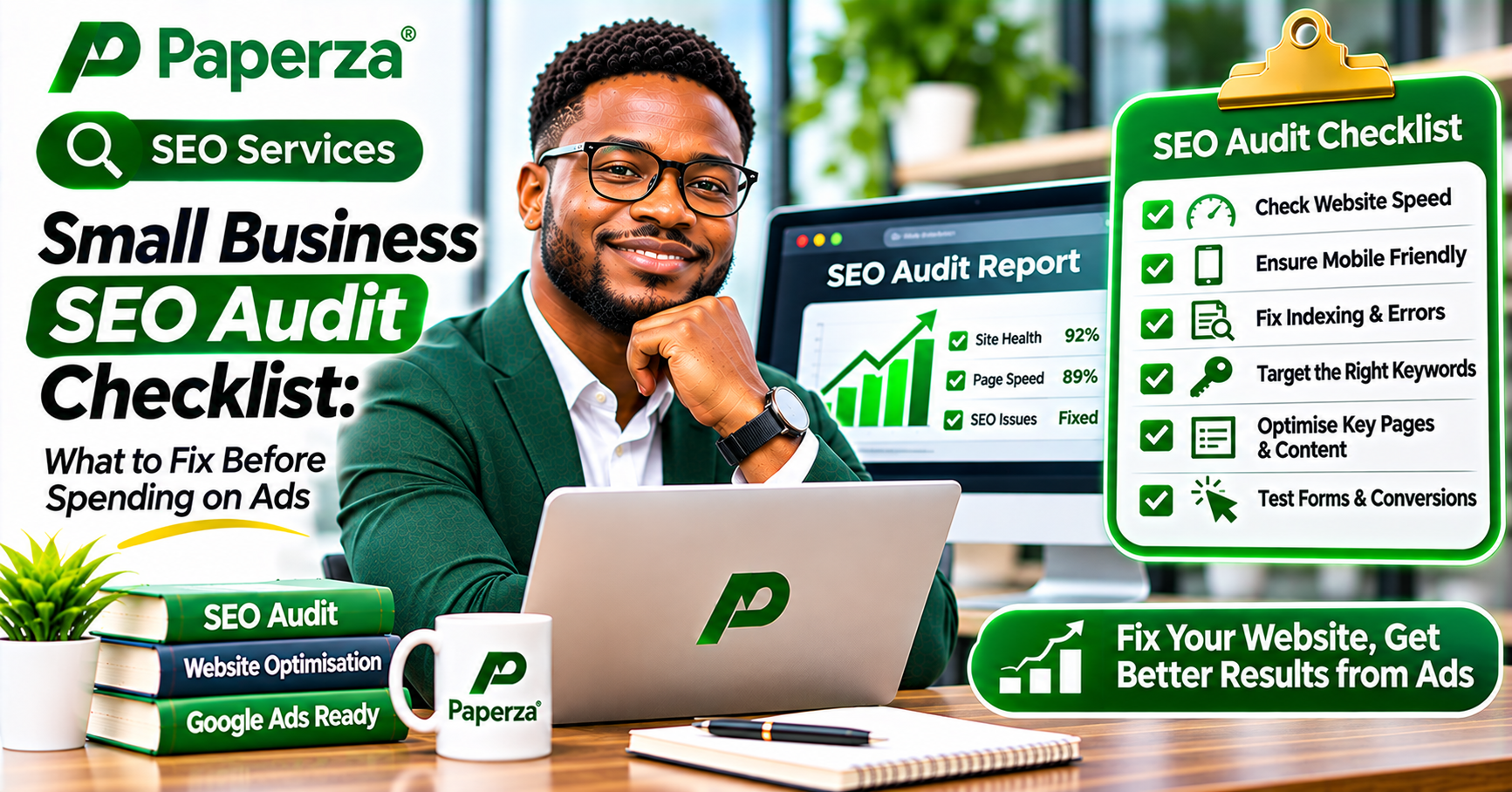
Small Business SEO Audit Checklist: What to Fix Before Spending on Ads
By Paperza Editorial Team
|
24 Nov 2026
|
29 min read
Many small businesses invest in Google Ads, Facebook Ads, and Instagram promotions expecting immediate increases in sales, enquiries, and website traffic.
However, paid advertising can become expensive when the website receiving that traffic is slow, poorly organised, difficult to navigate, or unable to convert visitors into customers.
Advertising brings people to your website. It does not automatically fix the problems that prevent them from buying.
Before committing a significant marketing budget, business owners should conduct a comprehensive SEO audit to identify technical issues, improve search visibility, strengthen website content, and prepare important landing pages for conversions.
A well-executed SEO audit can also help businesses develop a more sustainable source of organic traffic rather than relying entirely on paid advertising.
This small business SEO audit checklist explains what to review, which problems to prioritise, and how to prepare your website before launching advertising campaigns.
Businesses seeking professional assistance can explore Website SEO Optimisation and Organic Traffic Services on Paperza.
What Is an SEO Audit?
An SEO audit is a systematic assessment of a website's ability to appear in organic search results and provide a satisfactory experience to visitors.
The process examines technical performance, search engine accessibility, website content, keyword targeting, internal links, backlinks, and other factors affecting search visibility.
For small businesses, an effective SEO audit should also consider whether the website supports commercial objectives.
These objectives may include generating enquiries, selling products, receiving bookings, attracting subscribers, or encouraging customers to request quotations.
An SEO audit typically covers the following areas:
- Technical SEO and search engine indexing.
- Website speed and mobile usability.
- On-page SEO and keyword targeting.
- Content quality and search intent.
- Internal and external links.
- Local search visibility.
- Website navigation and conversion readiness.
- Analytics and performance measurement.
The objective is to identify actionable improvements, not simply produce a report containing technical errors.
Why Should Small Businesses Audit Their Websites Before Running Ads?
Paid advertising and SEO serve different purposes, but both depend on the effectiveness of the website.
A business may successfully attract visitors through advertisements while generating very few sales because its website contains usability or conversion problems.
For example, an online store may spend $1,000 on advertising but lose potential customers because its checkout process does not function correctly on mobile devices.
A professional service business may receive hundreds of visits but fail to generate enquiries because its contact information is difficult to find.
Conducting an audit before increasing advertising expenditure can help identify these issues.
However, businesses do not need to achieve perfect SEO rankings before launching advertisements. The priority is to resolve critical problems and establish reliable conversion measurement.
SEO vs. Paid Advertising: What Is the Difference?
| Factor | Search Engine Optimisation | Paid Advertising |
| Traffic source | Organic search results | Sponsored placements |
| Cost structure | Content, optimisation and maintenance | Advertising spend and management |
| Time to results | Often weeks or months | Potentially immediate |
| Traffic continuity | May continue after initial optimisation | Usually decreases when spending stops |
| Main objective | Sustainable search visibility | Targeted traffic and conversions |
| Website requirements | Accessible, relevant and useful pages | Relevant, functional and persuasive landing pages |
| Performance measurement | Rankings, impressions, clicks and conversions | Cost per click, conversions and return on ad spend |
SEO and paid advertising can complement each other.
Advertising may help a business test demand and generate immediate traffic, while SEO can support longer-term organic customer acquisition.
Google does not provide better organic rankings simply because a business purchases advertisements.
1. Set Up Google Search Console
Google Search Console is a free tool that helps website owners understand how their pages perform in Google Search.
Every small business seeking organic search visibility should consider verifying its website.
Search Console provides information about search impressions, clicks, indexing status, security issues, and technical performance.
Google Search Console Audit Checklist
- Verify ownership of your website.
- Review the website's organic search performance.
- Identify keywords generating impressions and clicks.
- Check important pages for indexing problems.
- Review submitted XML sitemaps.
- Investigate security warnings.
- Check whether significant pages have unexpected exclusions.
For example, a service business may discover that its homepage is indexed but its individual service pages are missing from search results.
Investigating those pages should be a priority.
Visit Google Search Console to get started.
2. Check Whether Google Can Index Your Important Pages
A website cannot receive ordinary organic search traffic from a page that Google has not indexed.
Indexing issues may result from incorrect technical settings, inaccessible pages, duplicate content, or other factors.
A simple initial check involves searching Google using:
site:yourdomain.com
However, this search does not provide a complete inventory of indexed pages.
Use Search Console's URL Inspection tool to investigate individual pages and review their indexing status.
Common Indexing Problems
| Problem | Potential Effect |
| Unintended noindex directive | Prevents an eligible page from appearing in search results |
| Incorrect robots.txt rules | May prevent search engine crawling |
| Server errors | Make pages temporarily or persistently inaccessible |
| Incorrect canonical tags | May cause another URL to be selected as the representative page |
| Weak internal linking | Makes important pages harder to discover |
| Duplicate pages | Can complicate indexing and URL selection |
| Missing or inaccessible content | Prevents meaningful assessment of the page |
Not every excluded page represents a problem.
Account pages, shopping carts, private dashboards, and certain duplicate URLs may intentionally remain outside the search index.
Focus on pages that should attract potential customers.
3. Review Your XML Sitemap and Robots.txt File
An XML sitemap helps search engines discover important website URLs.
For many small businesses, content management systems generate sitemaps automatically.
During the audit, confirm that your sitemap contains the correct public URLs and does not unnecessarily include redirected, deleted, or non-indexable pages.
Your robots.txt file should also be reviewed to ensure that important website content is not accidentally blocked from crawling.
Common locations are:
- yourdomain.com/sitemap.xml
- yourdomain.com/robots.txt
The actual location may vary depending on your website configuration.
Submitting a sitemap does not guarantee indexing. It is one method of helping search engines discover pages.
Also, robots.txt should not be used as a substitute for appropriate security controls or reliable removal of sensitive information from search results.
4. Audit Website Speed and Core Web Vitals
Slow websites can frustrate visitors and reduce the effectiveness of marketing campaigns.
Customers arriving through paid advertisements may leave before a page has finished loading.
Google's Core Web Vitals provide useful measurements of certain aspects of website experience.
| Metric | What It Measures | Good Performance Target |
| Largest Contentful Paint (LCP) | Loading performance of the main visible content | 2.5 seconds or less |
| Interaction to Next Paint (INP) | Responsiveness to user interactions | 200 milliseconds or less |
| Cumulative Layout Shift (CLS) | Unexpected movement of visible page elements | 0.1 or less |
These targets are evaluated using appropriate real-user performance data, generally at the 75th percentile of page visits.
Common Causes of Slow Website Performance
- Oversized images.
- Excessive JavaScript.
- Unnecessary plugins.
- Inefficient database queries.
- Slow server response times.
- Heavy animations.
- Excessive third-party tracking scripts.
- Poorly configured caching.
Use Google PageSpeed Insights to assess your homepage, product pages, service pages, and advertising landing pages.
Focus on improvements that benefit actual customers rather than pursuing a perfect performance score at the expense of functionality.
Google explains these metrics in its Core Web Vitals documentation.
5. Check Mobile Responsiveness
Customers frequently discover businesses through smartphones.
A website that looks attractive on a desktop computer may still provide a poor mobile experience.
Before launching advertisements, test important pages on different screen sizes and operating systems.
Check whether:
- Text is readable without unnecessary zooming.
- Navigation menus function correctly.
- Buttons are easy to select.
- Contact forms work on mobile devices.
- Images fit within the screen.
- Payment and checkout processes function correctly.
- Pop-ups do not obstruct essential content.
- Pages do not require unnecessary horizontal scrolling.
For businesses using Instagram or Facebook Ads, mobile testing is especially important because many visitors will open links directly within mobile applications.
Where possible, test the actual advertising destination using the same devices and browser environments your customers are likely to use.
6. Fix Broken Links and Website Errors
Broken links create unnecessary obstacles for visitors and can complicate search engine crawling.
A customer who clicks an advertisement and reaches a missing page is unlikely to complete the intended purchase or enquiry.
Review the website for:
- Broken internal links.
- Missing product or service pages.
- Incorrect external links.
- Unnecessary redirect chains.
- Server errors.
- Broken images.
- Non-functional navigation buttons.
When permanently replacing an old page with a relevant new page, an appropriate permanent redirect can help preserve navigation continuity.
However, unrelated deleted pages should not automatically redirect to the homepage.
Website audit tools such as Screaming Frog SEO Spider can help identify technical link problems.
Manual testing remains important, particularly for checkout pages, booking forms, and contact buttons.
7. Conduct Small Business Keyword Research
Keyword research helps businesses understand what prospective customers are searching for.
A common mistake is optimising a website only for the words used internally by the business rather than the language customers use.
For example, a business offering website development might target the general keyword "technology."
However, terms such as "small business website developer," "WordPress website design services," or "hire a Shopify developer" may reflect more specific customer requirements.
Types of Search Intent
| Search Intent | Example Keyword | Suitable Content |
| Informational | How does website SEO work? | Educational article |
| Commercial investigation | Best SEO services for small businesses | Comparison or service guide |
| Transactional | Hire an SEO freelancer | Service or booking page |
| Navigational | Paperza SEO services | Brand or category page |
| Local | SEO consultant in London | Relevant local service page |
A strong small business SEO strategy should include keywords that match the customer's stage in the buying process.
Do not focus exclusively on high-volume keywords.
A lower-volume keyword with clear purchasing intent may generate more valuable enquiries than a broad keyword attracting unrelated visitors.
For professional research and keyword planning, explore SEO Keyword Research and Website Optimisation on Paperza.
8. Assign Relevant Keywords to Important Pages
Each important page should have a clear purpose.
Rather than attempting to rank every page for every service, identify the primary topic and search intent associated with each URL.
Example Small Business Keyword Map
| Website Page | Primary Target Keyword |
| Homepage | Digital marketing agency |
| SEO services page | Small business SEO services |
| Website development page | Small business website development |
| Social media page | Social media management services |
| SEO audit article | Small business SEO audit checklist |
| Pricing page | Digital marketing service pricing |
Related keywords can naturally appear throughout each page.
Keyword mapping does not mean repeatedly inserting identical phrases into every paragraph.
The goal is to make the page's relevance clear while providing useful information to potential customers.
It can also help prevent unnecessary competition between pages targeting substantially the same search intent.
9. Optimise Page Titles and Meta Descriptions
Page titles help communicate a page's main subject.
Meta descriptions provide a short summary that search engines may use when displaying the page in search results.
Both should accurately reflect the page's content and provide a meaningful reason to visit.
Example SEO Title
Weak title: Home | ABC Business
Improved title: Small Business Website Design Services | ABC Digital
Example Meta Description
Professional website design for small businesses. Explore responsive websites, e-commerce development, and custom solutions for your business.
Title and Meta Description Checklist
- Use descriptive, page-specific titles.
- Include the primary topic naturally.
- Avoid duplicated titles across important pages.
- Write relevant descriptions for commercial pages.
- Avoid exaggerated or misleading claims.
- Keep wording readable and concise.
Search engines may generate different titles or snippets based on the query and page content.
A good meta description can encourage relevant clicks, but it is not itself a direct Google ranking factor.
10. Improve Website Headings and Page Structure
Headings help readers navigate content and understand a page's structure.
An effective service page might contain:
H1: Professional Website Development Services
H2: Our Website Development Solutions
H2: Website Development Packages
H2: Why Choose Our Services?
H2: Frequently Asked Questions
H2: Request a Free Quotation
Use meaningful headings rather than selecting heading levels solely for their visual appearance.
Avoid adding unrelated keywords to headings simply to increase keyword frequency.
Visitors should be able to scan a page quickly and understand what the business offers.
11. Review Website Content Quality
Search visibility depends partly on whether a website provides useful, relevant information.
A common small business problem is publishing service pages that contain only a few generic sentences and no meaningful explanation of the actual service.
For example, a digital marketing agency might publish a page saying it provides excellent SEO services without explaining its process, deliverables, target customers, or pricing approach.
A stronger service page answers questions potential buyers are likely to have.
Useful Service Page Content
- A clear explanation of the service.
- Problems the service helps address.
- Scope and expected deliverables.
- Relevant experience or genuine portfolio examples.
- Pricing information or quotation options.
- A description of the working process.
- Frequently asked customer questions.
- Contact information and clear calls to action.
There is no universal minimum word count required to rank a webpage.
Content should be as detailed as necessary to answer the visitor's questions without unnecessary repetition.
Google's Search Essentials provides guidance on creating useful content and avoiding manipulative SEO practices.
12. Identify Outdated and Duplicate Content
Over time, businesses may accumulate old service descriptions, discontinued offers, incomplete blog articles, and multiple pages covering nearly identical subjects.
Review content that:
- Contains outdated prices or business information.
- Describes services that are no longer available.
- Repeats information already covered by another page.
- Receives relevant traffic but fails to answer customer questions.
- Contains broken references or outdated instructions.
Depending on the situation, these pages may need updating, consolidation, redirection, or removal.
Avoid deleting pages solely because they receive little traffic.
Some pages serve important customer, legal, operational, or conversion purposes even when organic traffic is limited.
13. Strengthen Internal Linking
Internal links connect different pages within your website.
They help visitors discover related services and help search engines understand your website's organisation.
For example, a business publishing an article about mobile app development costs can naturally link to its app development service page.
An article explaining website security can link to relevant website maintenance or technical support services.
Effective Internal Linking Practices
- Link educational articles to relevant commercial pages.
- Use descriptive link text.
- Connect related services where appropriate.
- Ensure important pages are accessible through navigation.
- Identify pages with few or no internal links.
- Avoid excessive or irrelevant linking.
Internal linking should support both search visibility and the customer's journey toward a useful next step.
14. Optimise Website Images
Large or poorly configured images can negatively affect loading performance.
Images that lack appropriate descriptions may also create accessibility problems.
Before spending on advertising, review product images, service banners, portfolio photographs, and landing page graphics.
Consider:
- Compressing large images.
- Using suitable modern formats such as WebP or AVIF.
- Serving images at appropriate dimensions.
- Adding descriptive alternative text to meaningful images.
- Providing empty alternative text for purely decorative images where appropriate.
- Avoiding images containing unnecessarily complicated text.
- Ensuring important images load correctly on mobile devices.
Alternative text should describe the image's purpose or information rather than being filled with unrelated keywords.
15. Improve Local SEO
Local SEO is especially important for businesses serving customers within specific geographic areas.
Examples include restaurants, dental clinics, cleaning companies, repair services, law firms, and physical retail stores.
Eligible businesses can use Google Business Profile to manage information appearing in Google Search and Maps.
Local SEO Audit Checklist
- Confirm eligibility for a Google Business Profile.
- Verify and maintain the profile.
- Use the genuine business name.
- Select appropriate business categories.
- Provide accurate contact information and opening hours.
- Maintain current business photographs.
- List relevant products or services.
- Encourage genuine customers to leave reviews.
- Respond professionally to customer feedback.
- Maintain accurate business information across relevant directories.
Online-only businesses without qualifying in-person customer contact are generally not eligible for a Google Business Profile.
Do not invent physical offices, purchase fake reviews, or create misleading location pages.
Learn more at Google Business Profile.
16. Review Backlinks and Off-Page SEO
Backlinks are links from other websites to your own.
Relevant editorial links can help people discover a business and may contribute to its search visibility.
However, obtaining a large number of low-quality links is not a sustainable SEO strategy.
During a backlink audit, review the relevance and nature of external websites linking to your business.
Potential legitimate sources include industry associations, genuine business partnerships, professional publications, relevant directories, and independent coverage.
Avoid bulk backlink packages, automated comment spam, artificial link networks, and deceptive guest-post arrangements designed primarily to manipulate rankings.
Do not automatically disavow links simply because a commercial SEO tool labels them toxic. Google's disavow tool is intended for specific circumstances involving substantial problematic links and associated manual-action concerns.
A professional SEO consultant should explain the purpose and risks of any proposed backlink strategy.
17. Check Website Security and HTTPS
Security helps protect both customers and business operations.
Before directing paid traffic to your website, confirm that important pages are served securely through HTTPS.
Review whether:
- Security certificates are valid.
- Transactions and customer forms use secure connections.
- Website software receives necessary updates.
- Administrative access is appropriately restricted.
- Important information is backed up.
- Suspicious redirects or injected content are absent.
- Search Console reports no unresolved security issues.
HTTPS alone does not establish that a website is completely secure.
Businesses handling sensitive information or financial transactions may require a dedicated security assessment.
18. Audit Structured Data
Structured data provides machine-readable information that can help search engines interpret certain types of website content.
Depending on the website, relevant structured data may include:
| Structured Data Type | Potential Application |
| Organization | Business identity |
| LocalBusiness | Eligible local business information |
| Product | E-commerce product details |
| Article | Educational and editorial content |
| BreadcrumbList | Website navigation hierarchy |
Structured data should accurately represent visible or otherwise eligible page information.
Do not add fabricated ratings, reviews, prices, or business details.
Implementing structured data does not guarantee rich search results or higher rankings.
Use Google's Rich Results Test to evaluate supported structured data implementations.
19. Improve Website Trust and Credibility
Visitors are more likely to engage with a business when they understand who operates it and how its services work.
Trust is particularly important when marketing to new audiences unfamiliar with your brand.
Review the presence and accuracy of:
- Company information.
- Contact details.
- Service descriptions.
- Genuine testimonials and reviews.
- Relevant portfolio examples.
- Appropriate professional credentials.
- Privacy policies.
- Terms and conditions.
- Refund or cancellation policies where applicable.
- Secure payment information.
Avoid using fabricated testimonials, misleading professional qualifications, or unsupported claims about business performance.
A credible website supports customer confidence and provides useful context for both organic and paid traffic.
20. Optimise Advertising Landing Pages
One of the most important tasks before spending on advertisements is reviewing the destination pages.
A landing page should directly address the expectations created by the advertisement.
For example, if an advertisement promotes affordable logo design, sending visitors to a generic homepage containing unrelated services may produce unnecessary friction.
A dedicated logo design service page would usually provide a clearer experience.
Landing Page Readiness Checklist
- The headline matches the advertised offer.
- The page loads reliably.
- Pricing or quotation options are clear.
- Service benefits and deliverables are explained.
- Important terms are accessible.
- The page works on mobile devices.
- Contact or ordering buttons function correctly.
- Images support the offer.
- Conversion events are measured correctly.
- Visitors can identify a clear next step.
Google Ads evaluates landing page experience as part of its ad quality assessment. Organic SEO rankings and advertising performance nevertheless remain distinct systems.
21. Make Calls to Action Clear
A call to action tells visitors what to do next.
Many business websites provide useful information but fail to guide readers toward a purchase or enquiry.
Appropriate calls to action may include:
- Request a quotation.
- Book a consultation.
- Browse available services.
- Contact a freelancer.
- Start your project.
- Add to cart.
- Schedule an appointment.
The primary call to action should match the page's objective.
For example, an educational article may guide readers toward a relevant service page, while a product page may encourage visitors to complete a purchase.
Avoid placing too many competing calls to action on the same page.
Clarity is generally more useful than adding unnecessary buttons.
22. Test Contact Forms and Checkout Processes
Before launching an advertising campaign, complete the same process a prospective customer would follow.
For a service business, this may involve submitting a contact form or requesting a quotation.
For an online store, it may involve adding a product to the cart and completing a test purchase using an appropriate test environment.
Verify that:
- Contact forms accept valid submissions.
- Confirmation messages appear correctly.
- Business notification emails are delivered.
- Required fields are understandable.
- Payment options function as intended.
- Mobile users can complete the process.
- Error messages are clear.
- Customer records are handled securely.
Even a highly ranked website or successful advertisement cannot compensate for a broken purchasing process.
23. Set Up Analytics and Conversion Tracking
A business should understand what happens after someone visits its website.
Google Analytics 4, Google Ads conversion tracking, and other appropriate measurement tools can help businesses assess engagement and commercial outcomes.
However, collecting traffic statistics alone is insufficient.
Track actions that represent meaningful progress toward business objectives.
Examples of Conversion Events
| Business Type | Valuable Conversion Event |
| E-commerce store | Completed purchase |
| Freelance marketplace | Completed service order |
| Consulting business | Qualified consultation request |
| Legal service provider | Relevant enquiry |
| Subscription platform | Paid subscription |
| Local repair business | Confirmed booking |
| Software company | Qualified product demonstration request |
Distinguish primary business outcomes from secondary activities such as page views or button clicks.
Before launching campaigns, verify that tracking records the intended events accurately and does not count the same purchase or lead multiple times.
Ensure that analytics and advertising technologies are implemented consistently with applicable privacy and consent requirements.
24. Establish an SEO and Advertising Performance Baseline
A baseline provides a starting point for measuring changes.
Before undertaking significant SEO work or launching paid advertising, record the website's current performance.
Useful metrics include:
| Metric | What It Helps Measure |
| Organic impressions | Visibility in search results |
| Organic clicks | Traffic received from search |
| Search click-through rate | Relationship between impressions and clicks |
| Organic conversions | Meaningful actions from unpaid search |
| Conversion rate | Percentage of relevant visits that convert |
| Cost per acquisition | Advertising cost per customer acquired |
| Average order value | Average revenue per order |
| Return on ad spend | Attributed revenue relative to advertising expenditure |
Different businesses may define conversions and attribution differently.
Choose consistent reporting methods so that changes can be interpreted meaningfully.
How Website Optimisation Can Reduce Wasted Advertising Spend
Consider a hypothetical business with a $1,000 advertising budget.
Its average advertising cost per click is $1, producing 1,000 website visits.
The business currently converts 1% of visitors into customers.
After improving the landing page, mobile experience, and checkout process, assume its conversion rate increases to 3%.
| Performance Metric | Before Optimisation | After Optimisation |
| Advertising expenditure | $1,000 | $1,000 |
| Website visits | 1,000 | 1,000 |
| Conversion rate | 1% | 3% |
| Customers acquired | 10 | 30 |
| Cost per acquisition | $100 | $33.33 |
| Average order value | $150 | $150 |
| Attributed revenue | $1,500 | $4,500 |
| Return on ad spend | 1.5x | 4.5x |
In this hypothetical example, the business generates three times as many purchases without increasing its advertising budget.
These figures are illustrative, not a promise that SEO or landing page improvements will produce equivalent results.
Advertising costs, traffic quality, customer demand, conversion rates, and attribution may all change.
Return on ad spend also measures revenue rather than profit. Businesses must consider product costs, operating expenses, refunds, and other costs when assessing profitability.
Complete Small Business SEO Audit Checklist
The following checklist summarises the main areas businesses should review.
Technical SEO
- Verify Google Search Console.
- Review important page indexing.
- Validate the XML sitemap.
- Review robots.txt settings.
- Correct unintended noindex directives.
- Review canonical URLs.
- Fix broken links.
- Investigate server errors.
- Review redirects.
- Confirm HTTPS availability.
On-Page SEO
- Complete keyword research.
- Map keywords to relevant pages.
- Optimise page titles.
- Improve meta descriptions.
- Review heading structure.
- Strengthen service descriptions.
- Update outdated information.
- Improve internal links.
- Optimise important images.
- Review relevant structured data.
Website Experience
- Test mobile responsiveness.
- Review website loading performance.
- Assess Core Web Vitals.
- Simplify navigation.
- Remove unnecessarily intrusive pop-ups.
- Verify call-to-action buttons.
- Test contact forms.
- Test checkout and booking processes.
Local and Off-Page SEO
- Review Google Business Profile eligibility.
- Update local business information where applicable.
- Review genuine customer feedback.
- Assess existing backlinks.
- Identify legitimate opportunities for business visibility.
Advertising Preparation
- Create relevant campaign landing pages.
- Match landing page content to advertising messages.
- Configure analytics.
- Verify conversion tracking.
- Establish target acquisition costs.
- Confirm privacy and consent arrangements.
- Record baseline website performance.
- Resolve critical functionality problems before launch.
Which SEO Problems Should You Fix First?
Not every audit finding has the same urgency.
A small business should prioritise issues according to their commercial and technical significance.
| Priority | Issues | Recommended Action |
| Critical | Broken checkout, inaccessible landing pages, compromised website | Address before sending paid traffic |
| High | Mobile usability failures, missing conversion tracking, unintended indexing restrictions | Resolve early |
| Medium | Weak page titles, incomplete service content, poor internal linking | Include in the initial improvement plan |
| Ongoing | Content development, legitimate link acquisition, keyword expansion | Maintain a continuous SEO programme |
| Low | Minor cosmetic or performance improvements with limited customer impact | Address when resources permit |
The specific priorities depend on the website and business model.
For example, a missing meta description should not receive more urgent attention than a broken payment button.
A Practical 30-Day SEO Improvement Plan
Small businesses do not need to complete every possible optimisation simultaneously.
A structured plan can make the work more manageable.
Week 1: Audit and Identify Critical Problems
Set up or review Search Console and analytics, inspect main website pages, test mobile functionality, and identify issues affecting sales or enquiries.
Week 2: Improve Technical Performance
Resolve significant website errors, review indexing settings, optimise large images, and address the most important performance problems.
Week 3: Improve Content and Landing Pages
Conduct keyword research, update important service pages, optimise titles and descriptions, strengthen internal links, and improve landing page calls to action.
Week 4: Verify Tracking and Launch Controlled Campaigns
Test conversion tracking, review customer journeys, record baseline performance, and launch a limited advertising campaign if the website is ready.
Continue reviewing campaign outcomes and organic search performance after the initial month.
SEO improvements may require considerably longer than 30 days to produce measurable ranking changes.
How Much Does a Small Business SEO Audit Cost?
SEO audit pricing varies according to website size, complexity, technical requirements, and the specialist's experience.
An audit of a five-page business website is different from an assessment of an e-commerce platform containing thousands of product pages.
Illustrative SEO Budget Ranges
| Service | Example Planning Budget |
| Basic small website SEO review | $100–$300 |
| Detailed small business SEO audit | $300–$1,000 |
| Advanced technical SEO audit | $1,000–$3,000+ |
| Ongoing SEO support | Scope-based monthly quotation |
These ranges are illustrative budgets rather than independently established market averages.
On Paperza, one verified Website SEO Optimisation Service currently lists a basic package starting at $100.
The listed package includes keyword research, on-page optimisation, basic technical SEO, content optimisation, and reporting.
The freelancer also lists optional competitor analysis and local SEO support.
Businesses should confirm the exact deliverables, number of included pages, implementation responsibilities, and additional charges before ordering.
What Should a Professional SEO Audit Report Include?
An SEO audit should provide practical recommendations rather than simply a collection of screenshots from automated tools.
A useful report may include:
- An executive summary.
- A technical SEO assessment.
- Important indexing and crawling findings.
- Keyword and search intent analysis.
- On-page SEO recommendations.
- Website usability observations.
- Competitor analysis where included.
- Content improvement opportunities.
- A prioritised corrective action plan.
- Recommended performance measurements.
Ask whether the service includes implementing the identified improvements or only preparing a report.
Some technical problems may require support from a website developer rather than an SEO consultant alone.
How to Hire an SEO Freelancer for Your Small Business
The right SEO freelancer should understand both search visibility and your business objectives.
Before hiring, review their relevant experience, proposed methodology, deliverables, communication approach, and understanding of your website platform.
Be cautious of professionals promising guaranteed first-page rankings within a few days.
Search engines independently determine organic search results, and no freelancer can guarantee a particular ranking.
Questions to Ask Before Ordering
- What areas will your SEO audit cover?
- How many website pages are included?
- Will you review Google Search Console data?
- Does the service include keyword research?
- Will you assess website speed and indexing?
- Does your quotation include implementing fixes?
- How will you prioritise recommendations?
- What reports will I receive?
- What backlink methods do you use?
- How will we measure improvements?
Professional answers should be specific to the agreed project requirements.
Businesses can browse SEO Freelancers on Paperza and compare available services before choosing a suitable professional.
Example SEO Audit Project Brief
Project title: Small Business Website SEO Audit Before Advertising Launch
Business overview: We operate a small business website and intend to launch Google Ads and social media advertising campaigns.
Objective: Identify technical SEO issues, improve website visibility, and ensure important landing pages are ready to receive paid and organic traffic.
Required services: Indexing review, technical SEO assessment, keyword research, on-page optimisation recommendations, mobile usability review, and landing page evaluation.
Deliverables: A detailed audit report, prioritised recommendations, keyword map, and implementation plan.
Additional requirements: Review existing analytics and identify any conversion tracking problems.
Timeline: Please propose a realistic delivery schedule based on the number and complexity of website pages.
Budget: Provide a quotation distinguishing audit costs from implementation and ongoing support.
This project brief can help businesses receive clearer proposals from prospective freelancers.
Common SEO Mistakes Small Businesses Should Avoid
Spending on Ads Before Testing the Website
Always verify that key pages, forms, payment processes, and conversion tracking work correctly.
Targeting Keywords Without Considering Search Intent
Attracting visitors who have no interest in your services may provide little commercial value.
Publishing Excessive Low-Quality Content
Useful, original content is generally more valuable than large quantities of repetitive articles.
Buying Artificial Backlinks
Manipulative link-building practices can undermine long-term search visibility.
Ignoring Mobile Performance
Desktop testing alone does not adequately represent mobile customer experiences.
Optimising Only the Homepage
Individual service, category, product, and resource pages can attract highly relevant searches.
Focusing Exclusively on Rankings
Organic conversions, qualified enquiries, revenue, and customer acquisition costs provide important commercial context.
Treating SEO as a One-Time Activity
Websites, competitors, customer behaviour, and search technologies continue to evolve.
Expecting Immediate Organic Results
Changes can take time to be discovered, processed, and reflected in search results.
Ignoring Conversion Tracking
Without reliable measurement, businesses may struggle to determine whether marketing expenditure produces meaningful outcomes.
Where to Find Professional SEO Services
Paperza connects small businesses, startups, entrepreneurs, and established companies with freelance professionals offering digital marketing and website optimisation services.
Depending on your requirements, you can explore assistance with keyword research, technical SEO, content optimisation, competitor analysis, and search performance reporting.
Website SEO Optimisation and Organic Traffic
Hire an SEO Freelancer on Paperza for website analysis, keyword research, on-page optimisation, and related SEO services.
Small Business SEO Services
Browse All SEO Services on Paperza to compare available freelancers and discuss your website requirements.
Before ordering, confirm whether the service covers assessment only, implementation, or ongoing monthly SEO management.
Frequently Asked Questions
What is an SEO audit for a small business?
An SEO audit evaluates a business website's technical condition, search visibility, keyword targeting, content quality, and user experience to identify opportunities for improvement.
Should I do SEO before running Google Ads?
It is advisable to resolve critical website and landing page issues before launching significant advertising campaigns. However, you do not need to achieve high organic rankings before starting Google Ads.
How much does a small business SEO audit cost?
Pricing depends on website size and service scope. Paperza features an SEO optimisation package starting at $100, while more comprehensive technical assessments may require a larger budget.
Can I perform an SEO audit myself?
Yes. Google Search Console, PageSpeed Insights, and manual website testing can help identify many common issues. Complex technical problems may require professional assistance.
How long does an SEO audit take?
A basic website assessment may take a few days, while a comprehensive audit of a larger platform may require several weeks.
How often should a small business conduct an SEO audit?
A comprehensive review every three to six months may be appropriate for many small businesses, alongside regular monitoring and additional reviews after major website changes.
Does paying for Google Ads improve organic rankings?
No. Purchasing Google Ads does not directly improve organic search rankings. Paid advertising and organic search operate through separate systems.
What are the most important SEO issues to fix?
Prioritise inaccessible pages, unintended indexing restrictions, broken website functionality, significant mobile usability problems, and weak commercial content.
Does SEO guarantee more sales?
No. SEO can improve opportunities to attract relevant organic visitors, but sales depend on customer demand, pricing, competition, website experience, and the quality of the offer.
Where can I hire an SEO freelancer?
Businesses can explore SEO Services on Paperza to find freelancers offering website optimisation and digital marketing support.
Conclusion
A small business SEO audit is an important step toward creating a website that attracts relevant visitors and supports commercial growth.
Before investing heavily in advertising, businesses should review their technical SEO, website speed, mobile experience, service content, landing pages, and conversion tracking.
The objective is not to eliminate every minor website issue before launching a campaign. It is to address problems that could prevent customers from discovering, trusting, or purchasing from the business.
Combining sustainable SEO with carefully measured advertising can help businesses develop a more balanced digital marketing strategy.
Ready to improve your website before spending more on advertising?
Hire a Professional SEO Freelancer on Paperza and start building a stronger foundation for organic search visibility, website performance, and customer acquisition.
Official Resources and Further Reading
CONNECT WITH PAPERZA
Follow our official pages for daily publishing guides, expert advice & updates:


I will do grant writing, grant proposals, grant research, and grant applicati
Are you looking for funding opportunities or professional grant writing support? I provide grant writing, grant proposal development, grant research, and application assistance...
View Related Service >NEED PROFESSIONAL ASSISTANCE?
I will do grant writing, grant proposals, grant research, and grant applicati
Are you looking for funding opportunities or professional grant writing support? I provide grant writing, grant proposal development, grant...
OFFICIAL SOCIAL CHANNELS
Stay connected with Paperza across our verified social profiles: