
How to Create Product Videos That Sell Without a Large Studio Budget
By Paperza Editorial Team
|
26 Nov 2026
|
26 min read
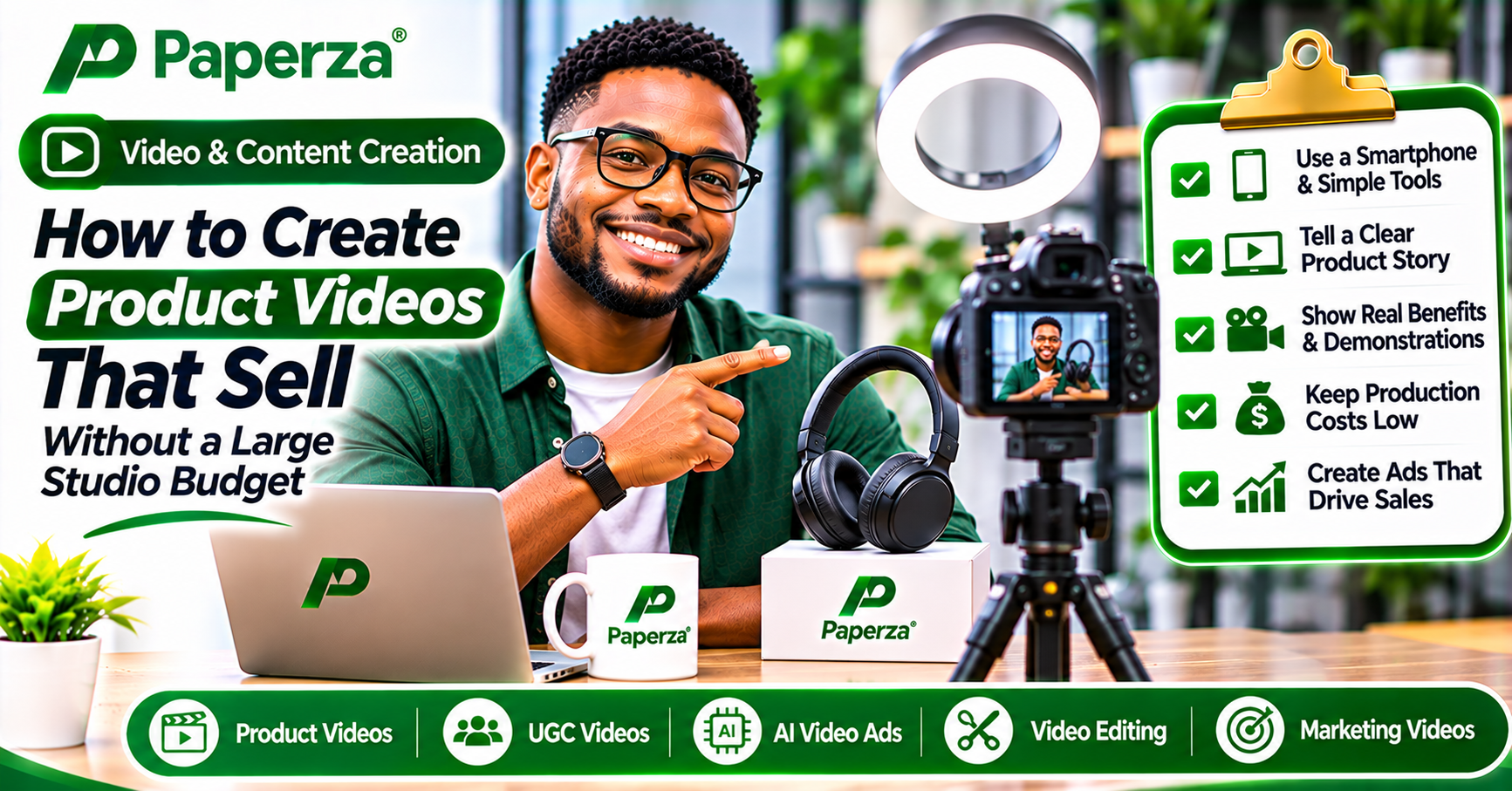
Product videos have become an important part of digital marketing for small businesses, e-commerce stores, startups, and established brands.
Customers want to understand how products work, what makes them different, and whether they are worth purchasing.
While product photographs and written descriptions remain valuable, videos allow businesses to demonstrate product functionality, communicate benefits, answer common questions, and establish a stronger connection with potential customers.
However, many small business owners assume that creating professional product videos requires expensive cameras, sophisticated studios, professional actors, and large production teams.
That is no longer the only option.
With smartphones, affordable lighting, creative storytelling, freelance video editors, user-generated content and AI-assisted production, businesses can create compelling product videos without spending thousands of dollars.
This guide explains how to create product videos that attract attention, communicate value, and encourage purchases while maintaining a manageable production budget.
Businesses looking for affordable professional support can explore Product and Brand Video Creation Services on Paperza.
What Is a Product Marketing Video?
A product marketing video is a visual presentation designed to introduce, explain, demonstrate, or promote a product to potential customers.
Unlike ordinary entertainment content, a product video generally supports a specific commercial objective.
That objective may include increasing brand awareness, generating website traffic, attracting qualified enquiries, encouraging product purchases, or helping existing customers understand a product.
Product videos can be used across:
- E-commerce product pages.
- TikTok and Instagram Reels.
- Facebook advertising.
- YouTube and YouTube Shorts.
- Email marketing campaigns.
- Business websites and landing pages.
- Digital marketplaces.
- Product launch campaigns.
An effective product video does not simply display the product.
It communicates why the product matters to the intended audience.
Why Product Videos Are Important for Small Businesses
When customers shop online, they cannot physically examine a product before purchasing.
Videos can help reduce this uncertainty by showing the product's appearance, size, functionality, materials, and practical applications.
For example, a photograph of a portable blender may show its design, while a video can demonstrate how it operates, how easily it can be cleaned, and whether it fits into a customer's daily routine.
Similarly, a software company can use a screen-recorded demonstration to show how its application helps users complete important tasks.
Product videos can support businesses by:
- Making product benefits easier to understand.
- Demonstrating functionality and practical applications.
- Addressing common purchasing objections.
- Building brand familiarity.
- Supporting social media engagement.
- Improving the quality of advertising creatives.
- Giving customers more information before purchasing.
However, video quality alone does not guarantee sales. Product demand, pricing, customer experience, targeting, and the strength of the offer also influence results.
Do You Really Need a Professional Video Studio?
Not necessarily.
A professional studio can be valuable for luxury products, complex commercial campaigns, television advertisements, and productions requiring advanced visual effects.
However, many small businesses can achieve their marketing objectives through simpler production methods.
A clean background, good lighting, clear audio, stable footage, and a strong script may be sufficient for an effective product demonstration.
The best production method depends on the audience, product, marketing platform, and campaign objective.
| Production Method | Best Application | Relative Budget |
| Smartphone filming | Demonstrations and everyday product content | Low |
| UGC-style videos | Relatable social media advertising | Low |
| Freelance video editing | Improving existing product footage | Low to medium |
| AI-assisted video production | Digital advertisements and creative variations | Low to medium |
| Professional studio production | Premium commercial campaigns | Medium to high |
| 3D product animation | Technical or visually complex products | Scope-dependent |
Small businesses should invest in production quality where it contributes meaningfully to customer understanding and brand credibility.
1. Define the Objective of Your Product Video
Before recording footage or hiring a video creator, determine what you want the video to accomplish.
A video designed to introduce a new product may require a different approach from one designed to encourage an immediate purchase.
Common Product Video Objectives
| Objective | Recommended Video Format |
| Introduce a new product | Product launch video |
| Explain functionality | Product demonstration |
| Build customer confidence | Genuine customer testimonial |
| Generate immediate sales | Direct-response video advertisement |
| Explain a complicated product | Explainer video |
| Show product appearance | Lifestyle or cinematic product video |
| Address purchasing objections | FAQ or comparison video |
| Reach new audiences | Short-form social media video |
A video should generally have one primary objective.
Attempting to communicate every product feature, company achievement, promotional offer, and brand message within a single short video can make the content difficult to follow.
2. Understand Your Target Customer
Effective product videos begin with customer understanding rather than camera equipment.
Before developing a script, identify the people most likely to purchase the product.
Consider their needs, challenges, interests, purchasing behaviour, and reasons for choosing one product over another.
For example, a company selling portable power banks may target university students, travellers, remote workers, and business professionals.
Each audience may respond to different messages.
Students may value affordability and convenience. Travellers may prioritise portability. Remote workers may be interested in reliable charging during their daily activities.
The same product can therefore support different video concepts.
Businesses with limited budgets can create several opening messages using the same core product footage rather than producing an entirely new commercial for every audience.
3. Focus on Benefits Instead of Features
One of the most common product marketing mistakes is presenting technical specifications without explaining why they matter.
Customers generally want to understand how a product improves their lives or solves a problem.
| Product Feature | Customer-Focused Benefit |
| 20,000mAh battery capacity | Charge compatible devices multiple times, depending on usage |
| Waterproof backpack material | Added protection against exposure to water within its rated limits |
| Adjustable laptop stand | Position your laptop at a more comfortable viewing height |
| Automated reporting software | Reduce repetitive manual reporting tasks |
| Insulated water bottle | Maintain beverage temperature for longer |
| Compact kitchen appliance | Save space on your kitchen countertop |
Ensure that all benefits are supported by the product's actual capabilities.
Avoid exaggerated performance claims, misleading comparisons, and fabricated results.
Good product marketing translates technical information into practical customer value.
4. Create a Strong Opening Hook
The opening moments of a video are particularly important on social media platforms where viewers can quickly scroll past advertisements.
Instead of beginning with a lengthy company introduction or logo animation, introduce a relevant problem, interesting visual, or practical product benefit.
Example Product Video Hooks
Beauty product: Looking for a simpler everyday skincare routine?
Kitchen product: Tired of spending too much time preparing breakfast?
Technology product: Here is a smarter way to organise your workspace.
Business software: Still creating business reports manually every week?
Fashion product: One outfit, three different ways to style it.
Home organisation product: Here is how to make better use of a small kitchen.
An effective hook should connect naturally with the product and the message that follows.
TikTok's Video Advertising Guide for Small Businesses provides additional guidance on creating mobile-first advertisements and engaging creative content.
5. Use a Simple Product Video Script
You do not need a complicated screenplay to create an effective advertisement.
For short-form product videos, a useful structure is:
Hook → Customer Problem → Product Demonstration → Benefit → Call to Action
Example 30-Second Product Video Script
Product: Adjustable laptop stand.
0–3 seconds — Hook
Still working with your laptop flat on the desk?
3–8 seconds — Problem
An uncomfortable workspace can make long working sessions more difficult.
8–18 seconds — Product demonstration
Introduce the adjustable stand. Show how it unfolds, how its height can be adjusted, and how the laptop rests on it.
18–25 seconds — Benefits
Demonstrate its compact design and adjustable viewing positions.
25–30 seconds — Call to action
Upgrade your workspace. Explore our laptop stand today.
This hypothetical script communicates a clear problem, demonstrates the solution, and gives interested customers a next step.
Businesses requiring professional video scripting and production can explore AI Commercial and UGC Video Advertising Services on Paperza.
6. Create a Storyboard Before Filming
A storyboard is a basic visual plan showing the scenes required to produce a video.
It does not need to contain professional illustrations.
Simple sketches, written descriptions, or reference photographs can help organise the production process.
Example Product Video Storyboard
| Scene | Visual | Purpose |
| Scene 1 | Customer experiencing a relatable problem | Capture attention |
| Scene 2 | Close-up of the product | Introduce the solution |
| Scene 3 | Product being used | Demonstrate functionality |
| Scene 4 | Practical result or benefit | Communicate value |
| Scene 5 | Product packaging and brand name | Reinforce recognition |
| Scene 6 | Clear purchasing instruction | Encourage action |
Planning scenes before filming helps avoid unnecessary recording, expensive reshoots, and excessive editing time.
It also improves communication when hiring a freelance video creator.
7. Use Your Smartphone to Record Product Footage
Modern smartphones can capture sufficiently detailed footage for many digital marketing applications.
Instead of immediately purchasing expensive camera equipment, learn how to maximise the quality of the equipment you already own.
Smartphone Product Filming Checklist
- Clean the camera lens before recording.
- Use a stable tripod or phone stand.
- Record in a suitable resolution.
- Ensure the product is in focus.
- Avoid excessive digital zoom.
- Maintain consistent lighting.
- Record several angles of the product.
- Keep the background clean.
- Leave sufficient space for text overlays.
- Review each recording before moving to the next scene.
Recording in 1080p is generally sufficient for many social media campaigns.
Recording in 4K can provide additional flexibility when cropping or reframing footage, provided your device and editing workflow support it.
Higher resolution does not automatically improve a poorly lit or badly composed video.
8. Improve Lighting Without Expensive Equipment
Lighting can significantly influence the appearance of a product.
Poor lighting may introduce unwanted shadows, obscure product details, distort colours, or make footage appear unprofessional.
Small businesses can begin with natural sunlight and inexpensive lighting accessories.
Affordable Product Lighting Options
| Lighting Method | Suitable Application |
| Natural window light | Lifestyle videos and everyday products |
| LED ring light | Presenter-led demonstrations |
| Small LED panel | Product close-ups |
| White reflector board | Reducing harsh shadows |
| Diffused desk lighting | Small tabletop products |
Position the product near a window where indirect daylight provides soft illumination.
Avoid strong direct sunlight when it creates distracting reflections or shadows.
For reflective products such as glass bottles, jewellery, or polished electronics, experiment with diffused lighting and camera placement.
Consistent lighting is particularly important when recording multiple scenes that will appear in the same advertisement.
9. Choose a Clean and Relevant Background
The background should support the product rather than compete with it.
A simple white, neutral, or brand-coloured background may be appropriate for product close-ups.
Lifestyle videos may benefit from showing the product in a realistic environment.
For example:
A coffee brand can film in a kitchen.
A fitness brand can use a home exercise space.
A skincare brand can film on a clean bathroom counter.
A technology company can record in a modern workspace.
A fashion business can use a simple outdoor or indoor lifestyle setting.
The objective is to help customers imagine using the product in their own lives.
10. Record Multiple Product Angles
Using only one camera angle can make a product video visually repetitive.
Instead, capture several types of footage during the same recording session.
| Shot Type | Purpose |
| Wide shot | Establish the environment |
| Medium shot | Show the product in context |
| Close-up | Highlight important features |
| Detail shot | Show materials, controls or packaging |
| In-use shot | Demonstrate functionality |
| Overhead shot | Showcase tabletop products or unboxing |
| Lifestyle shot | Show everyday applications |
| Hero shot | Present the product as the main subject |
These supplementary clips are commonly referred to as B-roll.
A useful B-roll library allows businesses to create multiple advertisements from one filming session.
11. Demonstrate the Product in Real Situations
Customers often want to see evidence that a product performs as described.
A product demonstration can answer questions more effectively than a long list of technical specifications.
For example, a cleaning product can be shown being used on an appropriate surface.
A mobile application can be demonstrated through an actual screen recording.
A kitchen appliance can be shown preparing a meal.
A clothing brand can demonstrate how different outfits fit and move.
A furniture business can illustrate how a product is assembled.
Demonstrations should reflect genuine product performance.
Avoid staging impossible results or editing footage in ways that misrepresent the product.
12. Use User-Generated Content and UGC-Style Videos
User-generated content, commonly called UGC, refers to content created by customers or other users rather than directly by a brand.
Businesses may also hire creators to produce UGC-style advertisements that use a natural, relatable presentation format.
These videos often feature someone speaking directly to the camera, demonstrating a product, unboxing an item, or explaining a practical benefit.
UGC-style content can be particularly useful for brands seeking creative social media advertisements without elaborate studio production.
Types of UGC Product Videos
- Product unboxing.
- Everyday product demonstrations.
- Genuine customer experiences.
- Educational product tutorials.
- Lifestyle content.
- Problem-and-solution videos.
- Product walkthroughs.
Paid creators should disclose advertising relationships where required.
A creator who has not genuinely used a product should not present a fictional experience as an authentic customer testimonial.
Businesses can hire UGC Product Video Creators on Paperza for product demonstrations, promotional videos, and lifestyle-focused brand content.
13. Consider AI-Assisted Product Video Production
AI-powered video tools can help businesses develop advertising concepts, generate supplementary visuals, create voiceovers, produce animations, and prepare different creative variations.
For certain products, AI-assisted workflows may reduce the need for studio locations or large production crews.
However, AI-generated content requires careful quality control.
Traditional vs. AI-Assisted Product Videos
| Feature | Traditional Production | AI-Assisted Production |
| Physical filming | Usually required | May be reduced or unnecessary |
| Studio requirements | Depend on production | Often limited |
| Production speed | Depends on filming and editing | Can be faster for suitable projects |
| Product accuracy | Can capture actual product | Requires careful reference checking |
| Creative flexibility | Depends on budget and equipment | Can support rapid visual variations |
| Human authenticity | Can feature real customers and presenters | Synthetic presenters must not be misrepresented |
| Best application | Genuine demonstrations and premium commercials | Concept videos, explainers and creative advertising |
AI-generated advertisements should accurately represent the product.
Check packaging, product colours, logos, text, dimensions, and demonstrated functionality before publication.
Avoid using synthetic content to fabricate customer endorsements, product test results, or professional recommendations.
Review applicable platform requirements for synthetic media disclosure.
For affordable assistance, explore AI Commercial and UGC Video Ads on Paperza.
14. Create Product Videos for Mobile Devices
Many customers discover products while browsing social media on smartphones.
A video created specifically for mobile viewing should present the product clearly without requiring viewers to rotate their devices or zoom into small text.
Common Video Formats
| Format | Resolution Example | Suitable Placement |
| Vertical 9:16 | 1080 × 1920 | TikTok, Reels and YouTube Shorts |
| Square 1:1 | 1080 × 1080 | Compatible social media feeds |
| Portrait 4:5 | 1080 × 1350 | Compatible Instagram and Facebook feeds |
| Landscape 16:9 | 1920 × 1080 | YouTube, websites and presentations |
Advertising specifications may vary by placement and change over time.
Check the current requirements of the platform before exporting your final video.
Keep important product information, captions, and calls to action away from interface elements that may obscure them.
15. Add Captions and Readable Text
Some customers watch videos without audio, especially when browsing in public places or workplaces.
Captions help communicate spoken information and make content more accessible.
Text overlays can also emphasise key product features and promotional messages.
However, excessive text can make a video difficult to watch.
Effective Video Text Practices
- Use readable font sizes.
- Maintain strong contrast with the background.
- Keep sentences short.
- Avoid covering important product details.
- Position captions within platform-safe areas.
- Correct spelling and transcription errors.
- Allow sufficient time for viewers to read each message.
Use captions to support storytelling rather than repeat every visual element unnecessarily.
16. Improve Audio Quality
Customers may tolerate footage recorded on an ordinary smartphone, but unclear speech and distracting background noise can make video content difficult to understand.
When recording product demonstrations or presenter-led advertisements, choose a quiet environment.
An affordable external microphone may improve speech clarity.
Where appropriate, use background music and sound effects to support the video's tone.
Music should not overpower narration.
Ensure that any music, sound effects, footage, and other third-party materials are licensed for their intended commercial use.
A music track available for ordinary social media posts may not automatically be cleared for paid advertising.
17. Keep Product Videos Focused
A product advertisement does not need to explain every feature in a single video.
For social media advertising, shorter videos can be useful for introducing a product or demonstrating one specific benefit.
More complex products may require longer explanations.
| Video Duration | Example Application |
| 6–15 seconds | Quick product introduction or advertisement |
| 15–30 seconds | Product demonstration or direct-response promotion |
| 30–60 seconds | Detailed benefits and storytelling |
| 60–120 seconds | Product walkthrough or explainer |
| More than 2 minutes | Tutorials and complex demonstrations |
These durations are creative starting points rather than universal performance rules.
Test different video lengths to determine what works for your audience.
18. Include a Clear Call to Action
After watching the product video, interested customers should understand what they can do next.
The call to action should match the video's main objective.
Examples include:
- Shop the collection.
- Order yours today.
- Visit our website.
- Request a product demonstration.
- Download the application.
- Explore available colours.
- Book a consultation.
- Discover our latest products.
For promotional offers, clearly communicate relevant terms and conditions.
Avoid fabricated countdowns, false scarcity, or misleading discount claims.
The transition from video advertisement to product page should be consistent and straightforward.
19. Hire a Freelance Video Editor to Improve Production Quality
Small businesses do not necessarily need to employ a full-time video production team.
A freelance video editor can transform existing footage into polished marketing content.
Depending on the agreed scope, professional editing may cover:
- Selecting the best footage.
- Removing unnecessary sections.
- Improving video pacing.
- Correcting colours.
- Adding captions and subtitles.
- Incorporating music and sound effects.
- Adding brand graphics.
- Creating transitions and animations.
- Preparing different aspect ratios.
- Exporting platform-ready files.
Outsourcing editing can be particularly useful for businesses that can record their own footage but lack the time or technical experience to produce finished advertisements.
Explore Professional Commercial and Promotional Video Editing on Paperza.
20. How Much Does It Cost to Create Product Videos?
Product video production costs vary according to the production method, video length, number of scenes, editing requirements, actors, licensing, and creator experience.
Small businesses should distinguish between filming costs and post-production costs.
A freelancer who edits existing footage may charge less than a creator responsible for scripting, filming, presenting, and editing an entire advertisement.
Illustrative Product Video Production Budgets
| Video Production Method | Example Budget |
| DIY smartphone product video | $0–$50 in additional expenses |
| Basic freelance video editing | $25–$100 |
| UGC-style product video | $20–$150 |
| AI-assisted product advertisement | $25–$200 |
| More advanced freelance commercial | $100–$500+ |
| Dedicated studio production | $500–$5,000+ |
These figures are illustrative planning ranges rather than comprehensive market averages.
Actual costs depend on project requirements and location.
Real Product Video Services on Paperza
Paperza currently features several relevant video production services.
| Service | Starting Price | Basic Deliverable |
| UGC Product and Brand Videos | $20 | One product-focused UGC video |
| AI Commercial and UGC Video Ads | $35 | One advertisement up to 15 seconds |
| Professional Commercial Video Editing | $75 | Edited promotional video up to 30 seconds |
These are advertised starting prices for specific freelancer packages. Paperza's buyer platform charge and optional service extras may increase the checkout total.
Confirm filming requirements, product shipping arrangements, revision limits, commercial usage rights, and final deliverables before placing an order.
21. Example: Creating a Product Video Campaign With $100
A small business does not need to spend its entire marketing budget producing one video.
Consider a hypothetical business that already has a smartphone and wants to create advertisements for a new product.
| Expense | Illustrative Budget |
| Basic recording accessories | $15 |
| One UGC product video | $20 |
| One AI-assisted video advertisement | $35 |
| Additional editing allowance | $20 |
| Contingency | $10 |
| Total | $100 |
This example provides a starting point for creating and testing different video formats.
Actual expenses may include platform charges, product shipping, commercial licensing, or additional revisions.
The budget also excludes money spent distributing the advertisements.
22. Create Multiple Advertisements From One Recording Session
Producing every video from scratch can become expensive.
Instead, plan a recording session that captures enough footage for several creative variations.
For example, a skincare business might record:
- Product packaging.
- Product texture.
- Application footage.
- Close-up demonstrations.
- Presenter explanations.
- Lifestyle footage.
- Different opening statements.
- Product photographs.
This footage can support several advertisements, including a product introduction, application tutorial, problem-and-solution video, and promotional offer.
Changing only the opening hook, captions, voiceover, or call to action can create useful variations for testing.
This approach can help businesses stretch their production budgets.
23. Test Different Video Hooks Before Increasing Advertising Spend
Even professionally produced videos may perform differently across audiences.
Rather than investing heavily in one creative concept, test several relevant variations.
Example Product Advertisement Test
| Version | Opening Approach | Main Message |
| Video A | Relatable customer problem | Product as a practical solution |
| Video B | Product demonstration | Functionality and convenience |
| Video C | Genuine creator experience | Everyday product application |
| Video D | Promotional offer | Price and purchasing opportunity |
Keep other campaign variables as consistent as practical when comparing creative variations.
Review performance after collecting enough relevant data to support a meaningful decision.
A small number of views or clicks may not establish whether a video will perform successfully at a larger scale.
24. Measure Whether Your Product Videos Generate Results
Video views alone do not establish commercial success.
A video may attract attention without encouraging interested customers to visit the website or purchase the product.
Businesses should measure performance according to campaign objectives.
Important Product Video Marketing Metrics
| Metric | What It Measures |
| Impressions | Number of times content was displayed |
| Video views | Views under the platform's definition |
| Average watch time | Time viewers spend watching |
| Completion rate | Percentage reaching the end |
| Click-through rate | Percentage of impressions generating clicks |
| Conversion rate | Percentage of relevant visits resulting in the desired action |
| Cost per acquisition | Advertising expenditure per acquired customer |
| Return on ad spend | Attributed revenue relative to advertising expenditure |
Metric definitions may differ between advertising platforms.
For sales campaigns, purchases, acquisition costs, and profitability generally provide more useful commercial context than views alone.
25. Example: Comparing Two Product Video Advertisements
Consider two hypothetical product advertisements with identical advertising expenditure.
| Performance Metric | Video A | Video B |
| Advertising spend | $100 | $100 |
| Impressions | 10,000 | 10,000 |
| Click-through rate | 1% | 2.5% |
| Website visits from clicks, assuming all arrive | 100 | 250 |
| Purchase conversion rate | 2% | 4% |
| Purchases | 2 | 10 |
| Cost per acquisition | $50 | $10 |
| Average order value | $40 | $40 |
| Attributed revenue | $80 | $400 |
| Return on ad spend | 0.8x | 4x |
In this illustrative example, Video B generates more purchases from the same advertising expenditure.
The figures demonstrate why businesses should evaluate commercial performance rather than simply comparing video production quality.
Actual campaign results may differ substantially.
Return on ad spend measures attributed revenue, not profit. Product costs, delivery expenses, refunds, platform fees, and other operating expenses must also be considered.
26. Product Video Ideas for Different Industries
Fashion and Clothing
Create outfit demonstrations, styling tutorials, fabric close-ups, collection previews, and lifestyle videos.
Beauty and Skincare
Show product texture, application techniques, packaging, and accurate information about intended use.
Avoid unsupported medical or cosmetic effectiveness claims.
Food and Beverages
Film product preparation, serving suggestions, ingredient presentations, and realistic consumption occasions.
Electronics and Technology
Demonstrate functionality, setup procedures, compatibility, portability, and important product features.
Software and Mobile Applications
Use genuine screen recordings, user journey demonstrations, feature explanations, and problem-and-solution content.
Furniture and Home Products
Show product assembly, dimensions, materials, storage capacity, and placement within everyday environments.
Professional Services
Create service explainers, process demonstrations, genuine client success stories, and educational content.
Each industry requires a slightly different visual approach, but clarity, customer relevance, and accurate representation remain essential.
27. What to Include When Hiring a Product Video Creator
A detailed project brief helps freelancers understand your brand and reduces unnecessary revisions.
Sample Product Video Project Brief
Project title: Short-Form Product Video Advertisement for an E-commerce Brand
Business overview: We operate an online store and want to create short promotional videos for our products.
Objective: Increase product awareness, attract relevant website visitors, and encourage purchases.
Target audience: Customers interested in our product category and its practical benefits.
Video duration: Approximately 20–30 seconds.
Required format: Vertical 9:16 video suitable for TikTok and Instagram Reels.
Creative direction: Clean, modern, engaging, and focused on realistic product benefits.
Required scenes: Opening hook, product introduction, realistic demonstration, key benefits, and call to action.
Available materials: Product photographs, existing footage, brand logo, product information, and website link.
Deliverables: Final MP4 video, captions, appropriate commercially licensed audio, and agreed revisions.
Usage requirements: Organic social media and paid advertising.
Budget: Please provide a quotation based on the agreed deliverables.
This brief can be adapted for UGC creators, video editors, AI video producers, and traditional production professionals.
28. Questions to Ask Before Hiring a Video Freelancer
Before placing an order, ask the freelancer:
- Have you created advertisements for similar products?
- Can you provide relevant portfolio examples?
- Does the package include scriptwriting?
- Will you film the product or edit footage I provide?
- Are captions and voiceovers included?
- How many revisions does the package cover?
- Which video formats will be delivered?
- Are commercial advertising rights included?
- Will the music be appropriately licensed?
- Can you create multiple hooks or creative variations?
Also clarify whether the package includes editable source files, raw footage, product shipping, or additional platform-specific versions.
These details can have a significant effect on the final cost.
29. Common Product Video Marketing Mistakes
Spending Too Much Before Testing
An expensive commercial is not automatically more effective than a simple product demonstration.
Starting With a Long Logo Animation
Introduce a relevant message or engaging visual early rather than delaying the product story.
Showing Features Without Explaining Benefits
Help customers understand why the product is relevant to their needs.
Using Poor Lighting
Ensure that the product's colours, materials, and important details are clearly visible.
Ignoring Audio Quality
Clear narration and appropriate music make videos easier to understand.
Using Excessive Visual Effects
Transitions and animations should support the message rather than distract from it.
Forgetting Mobile Viewers
Prepare videos for the intended screen size and advertising placement.
Including Fake Testimonials
Use genuine experiences and disclose commercial relationships where required.
Sending Customers to Weak Landing Pages
Ensure that the website provides accurate product information and a functional purchasing process.
Measuring Only Views
Evaluate conversions, acquisition costs, and relevant business outcomes.
Complete Low-Budget Product Video Checklist
Pre-Production
- Define the marketing objective.
- Identify the target customer.
- Select the main product benefit.
- Write several opening hooks.
- Prepare a clear script.
- Develop a simple storyboard.
- Confirm product claims and advertising requirements.
Production
- Clean and prepare the product.
- Select a suitable background.
- Arrange consistent lighting.
- Stabilise the camera.
- Record multiple product angles.
- Capture genuine product demonstrations.
- Record additional footage for future advertisements.
Post-Production
- Remove unnecessary footage.
- Improve pacing and visual clarity.
- Add readable captions.
- Check branding and product accuracy.
- Use appropriately licensed audio.
- Include a clear call to action.
- Export the correct video format.
Campaign Launch
- Verify the destination landing page.
- Test the purchasing process.
- Configure conversion tracking.
- Test multiple creative variations.
- Review customer acquisition costs.
- Improve or replace underperforming advertisements.
Where to Hire Affordable Product Video Creators
Paperza connects businesses, startups, e-commerce brands, and entrepreneurs with freelance creative professionals.
Depending on your requirements, you can hire freelancers for UGC content, product demonstrations, commercial video editing, AI-assisted advertisements, and short-form social media content.
UGC Product Video Creation
Hire a UGC Product Video Creator on Paperza for product demonstrations, unboxing content, and relatable social media advertisements.
AI Commercial and Product Video Advertising
Hire an AI Commercial Video Creator on Paperza for affordable AI-assisted promotional content, product visualisation, voiceovers, and creative advertising variations.
Professional Commercial Video Editing
Hire a Commercial Video Editor on Paperza to transform existing product footage into polished promotional videos with captions, professional cuts, and audio.
You can also browse all Video and Content Creation Services on Paperza to compare freelancers, review packages, and discuss your marketing requirements.
Frequently Asked Questions
Can I create professional product videos with a smartphone?
Yes. A smartphone combined with good lighting, stable recording, clear audio, and effective editing can produce suitable content for many digital marketing campaigns.
How much does a product video cost?
Costs depend on the production method and deliverables. Paperza currently features relevant UGC video services starting at $20, AI commercial advertisements starting at $35, and professional commercial editing starting at $75.
What is the best length for a product video?
Videos of approximately 15–30 seconds can be a useful starting point for short-form advertising. More complex products may require longer demonstrations.
Are UGC videos better than studio advertisements?
Not always. UGC-style videos can provide relatable presentations, while studio advertisements may be more appropriate for premium branding or sophisticated visual requirements. Test formats against your campaign objectives.
Can AI create product advertisements?
Yes. AI-assisted workflows can produce advertising visuals, animations, synthetic narration, and creative variations. Product accuracy, commercial rights, and disclosure requirements should be carefully reviewed.
Do I need expensive lighting equipment?
Not necessarily. Natural window light, affordable LED lighting, and simple reflectors can be sufficient for many small product video projects.
Can I hire someone to edit my existing product footage?
Yes. Freelance video editors can transform existing footage into finished advertisements with captions, sound design, branding, and appropriate formatting.
What makes a product video effective?
A relevant opening, clear product demonstration, understandable benefits, credible claims, appropriate production quality, and a clear call to action can improve the usefulness of a product video.
Can I use the same video on different social media platforms?
Yes, although different placements may require changes to aspect ratio, duration, captions, music licensing, or creative presentation.
Where can I hire affordable product video creators?
Businesses can browse Video and Content Creation Services on Paperza to find freelancers offering relevant video production and editing services.
Conclusion
Creating product videos that support sales does not necessarily require a large production studio or an expensive marketing budget.
Small businesses can use smartphones, affordable lighting, realistic product demonstrations, creative storytelling, UGC-style content, and freelance video production services to develop compelling advertising materials.
The most important elements are understanding the customer, communicating a meaningful benefit, demonstrating the product accurately, and providing a clear next step.
Rather than spending heavily on a single commercial, businesses can create multiple versions, test different messages, measure results, and gradually invest in the formats that support their objectives.
With the right approach, even a modest video production budget can help a business communicate its products more effectively.
Ready to create professional product videos without expensive studio costs?
Hire Product Video Creators and Editors on Paperza and find creative professionals who can help turn your products into engaging, market-ready video content.
Further Reading and Resources
CONNECT WITH PAPERZA
Follow our official pages for daily publishing guides, expert advice & updates:


I will do grant writing, grant proposals, grant research, and grant applicati
Are you looking for funding opportunities or professional grant writing support? I provide grant writing, grant proposal development, grant research, and application assistance...
View Related Service >NEED PROFESSIONAL ASSISTANCE?
I will do grant writing, grant proposals, grant research, and grant applicati
Are you looking for funding opportunities or professional grant writing support? I provide grant writing, grant proposal development, grant...
OFFICIAL SOCIAL CHANNELS
Stay connected with Paperza across our verified social profiles: