AI Chatbots for Customer Service: What Should a Small Business Automate First?
By Paperza Editorial Team
|
14 Nov 2026
|
15 min read
Managing customer inquiries can be challenging for small businesses, especially when employees are responsible for sales, marketing, order processing, and daily operations.
Customers expect quick responses, accurate information, and convenient access to support. However, hiring a large customer service team may not be financially practical for every business.
AI chatbots offer an opportunity to automate repetitive customer interactions, improve response times, and reduce administrative workloads without requiring employees to handle every conversation manually.
But where should a small business begin?
Rather than automating the entire customer service process, businesses should start with frequent, predictable, and low-risk inquiries.
This guide explains which customer service tasks to automate first, how to implement an effective chatbot, and how to find professional AI and automation solutions on Paperza.
What Is an AI Customer Service Chatbot?
An AI customer service chatbot is a software application that uses artificial intelligence to communicate with customers and assist with common support requests.
Unlike traditional rule-based chatbots that follow predefined conversation paths, AI-powered chatbots can interpret natural language and respond to a wider variety of customer questions.
Depending on their configuration, these systems can retrieve business information, answer product questions, check order details, schedule appointments, and transfer complicated inquiries to human representatives.
AI chatbots can operate across several communication channels, including business websites, mobile applications, WhatsApp, Facebook Messenger, and customer support platforms.
Their effectiveness depends on the quality of their information, integrations, configuration, and ongoing supervision.
Why Small Businesses Should Consider Customer Service Automation
Customer service automation can help businesses manage increasing volumes of customer inquiries without placing unnecessary pressure on their employees.
Faster Customer Responses
Chatbots can provide immediate answers to routine questions, reducing the time customers spend waiting for assistance.
Extended Customer Support Availability
An automated chatbot can respond to supported inquiries outside normal business hours, including evenings, weekends, and holidays.
Reduced Administrative Workload
Employees can spend less time answering repetitive questions and focus more on complex customer issues and business development.
Consistent Customer Communication
A properly configured chatbot can provide information based on approved company policies and product documentation.
Improved Scalability
As customer inquiries increase, automation can help businesses manage additional conversations without requiring every interaction to be handled manually.
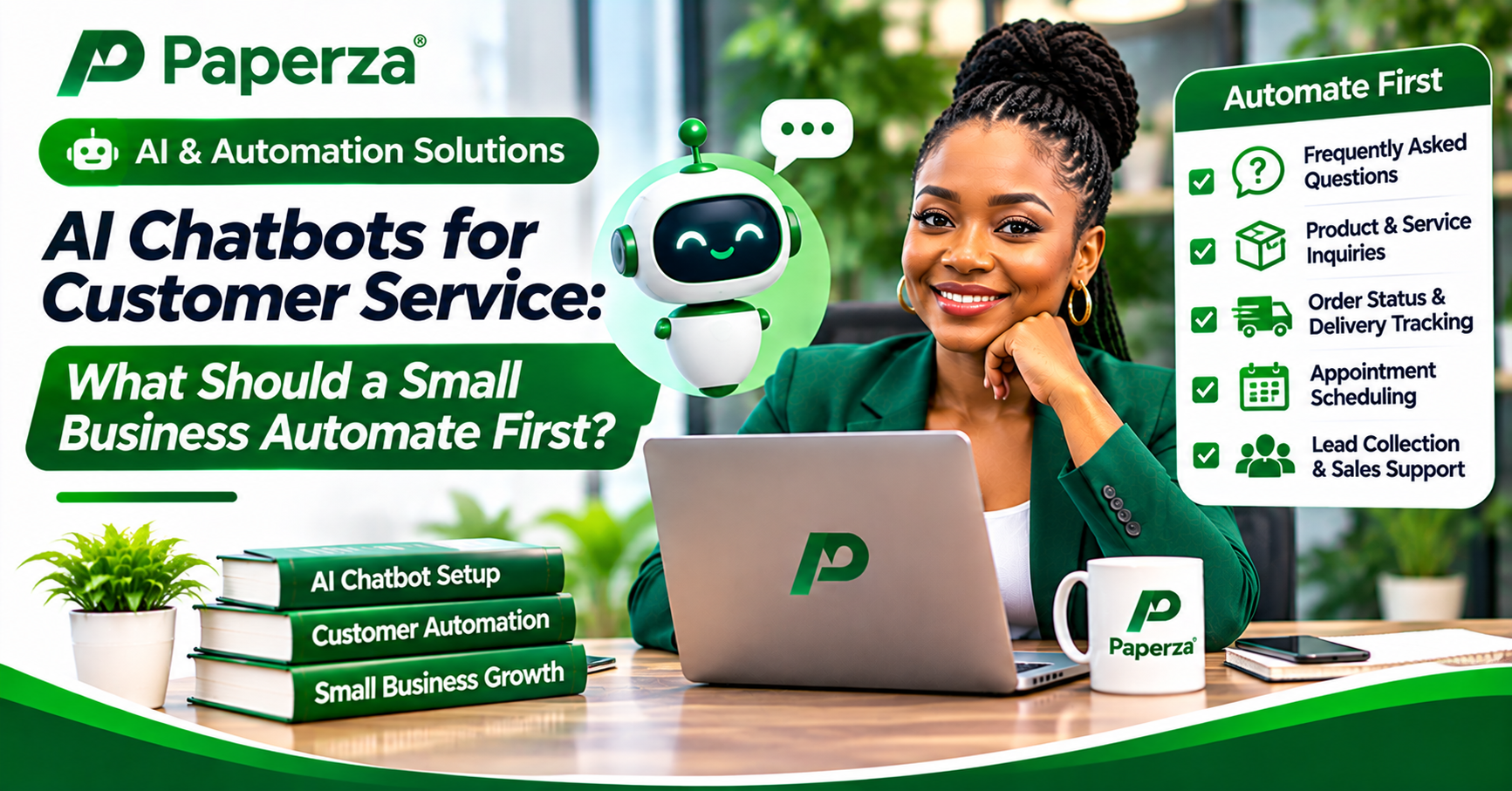
What Should a Small Business Automate First?
The best starting point is a customer service activity that occurs frequently, follows clear rules, and presents minimal risk if handled automatically.
| Customer Service Task | Automation Priority |
| Frequently asked questions | Very high |
| Business hours and contact information | Very high |
| Product and service inquiries | High |
| Order status and delivery tracking | High, after secure integration |
| Appointment scheduling | High |
| Customer inquiry classification | High |
| Sales lead collection | Medium to high |
| Refund and cancellation decisions | Human oversight required |
| Complex customer complaints | Human support recommended |
| Sensitive financial or legal matters | Human support required |
Small businesses should begin with one or two clearly defined activities before introducing more advanced automation.
1. Automate Frequently Asked Questions
Frequently asked questions are often the easiest and most practical customer service tasks to automate.
Customers regularly ask questions about prices, delivery timelines, payment methods, product availability, operating hours, and return policies.
Instead of requiring employees to answer the same questions repeatedly, businesses can configure a chatbot to provide approved responses.
For example, an online clothing store could automate answers to questions such as:
- Do you offer international shipping?
- What payment methods do you accept?
- How long does delivery take?
- Where can I find your size guide?
- What is your return policy?
The chatbot should retrieve answers from an accurate and regularly updated knowledge base.
When information is unavailable or uncertain, it should direct the customer to a human representative rather than inventing an answer.
2. Automate Business Hours and Contact Information
Customers frequently contact businesses to confirm opening hours, office locations, available communication channels, and appointment availability.
These inquiries are usually straightforward and can be automated with minimal technical complexity.
For example, a customer contacting a beauty salon could receive information about operating hours, available services, location, and booking procedures.
Businesses should ensure that holiday schedules, temporary closures, and updated contact details are reflected in the chatbot's knowledge base.
This simple automation can reduce unnecessary inquiries while improving customer convenience.
3. Automate Product and Service Inquiries
AI chatbots can help customers understand available products and services before making purchasing decisions.
A chatbot can provide information about product specifications, service packages, pricing, features, and general eligibility requirements.
For example, a software development company could configure its chatbot to explain the differences between website development, mobile application development, and ongoing technical support.
An online bookstore could use a chatbot to help customers discover available book categories, understand digital download procedures, or find information about supported payment methods.
However, the chatbot should not make unsupported promises about product performance, availability, or customised pricing.
Businesses looking to implement these capabilities can explore professional AI chatbot and automation services on Paperza.
4. Automate Order Status and Delivery Tracking
For e-commerce businesses, order-related questions can account for a substantial portion of customer support activities.
Customers frequently want to know whether their orders have been processed, shipped, or delivered.
A chatbot connected to an order management system can retrieve authorised order information and provide relevant updates.
Potential features include:
- Order status notifications.
- Shipment tracking links.
- Estimated delivery information.
- Order confirmation assistance.
- Guidance on reporting delivery problems.
Order tracking automation requires secure integration with the business's existing systems.
The chatbot should verify customer identity before displaying private order information and should only access the records necessary to answer the request.
5. Automate Appointment Scheduling
Service-based businesses can use chatbots to simplify appointment booking.
This may be particularly useful for salons, consulting firms, training centres, repair companies, and other appointment-based businesses.
An automated booking assistant can display available appointment times, collect essential booking information, confirm reservations, and provide reminders.
For example, a consulting company could allow prospective clients to select available consultation times directly through its website chatbot.
The chatbot should connect to an accurate scheduling system to prevent double bookings and should follow the company's cancellation and rescheduling policies.
6. Automate Customer Inquiry Classification
Not every customer inquiry needs to be resolved immediately by the chatbot.
Sometimes the most useful function is identifying the customer's issue and forwarding it to the appropriate employee.
A chatbot can classify incoming requests into categories such as:
- Sales inquiries.
- Technical support.
- Payment questions.
- Order tracking.
- Account assistance.
- Customer complaints.
For example, a customer reporting a failed payment could be directed to the appropriate support team, while a prospective buyer requesting product information could receive an approved response.
This approach can improve customer service organisation without giving the chatbot unnecessary decision-making authority.
7. Automate Sales Lead Collection
Customer service chatbots can also support business development by collecting information from prospective customers.
A chatbot may ask potential clients about their requirements, preferred services, expected timelines, and contact information.
For example, a website development business could configure a chatbot to collect the following information:
Project type: Business website, e-commerce store, or custom web application.
Required features: Online payments, customer accounts, booking functionality, or other integrations.
Expected timeline: The customer's preferred completion date.
Contact information: An email address or other appropriate contact method.
The information can then be transferred to the sales team for further discussion.
Businesses should collect only necessary information and clearly explain how customer data will be used.
Which Customer Service Tasks Should Not Be Fully Automated?
Although AI chatbots can handle many routine activities, some situations require human judgement, empathy, or additional security controls.
Complex Customer Complaints
Customers experiencing serious service problems may require personalised assistance and flexible solutions.
A chatbot should recognise when a complaint needs to be escalated.
Refund and Compensation Decisions
Refund exceptions, compensation requests, and payment disputes may require employees to review transaction details and applicable policies.
The chatbot can explain standard procedures or collect relevant information, but sensitive decisions should remain subject to appropriate human approval.
Sensitive Personal Information
Chatbots should not unnecessarily collect passwords, payment card details, identity documents, or confidential personal information.
Legal, Medical, and Financial Advice
Businesses operating in regulated industries should establish strict boundaries around automated responses and direct customers to appropriately qualified professionals when necessary.
Unusual or High-Risk Requests
When a chatbot cannot confidently resolve an inquiry using approved information, it should transfer the conversation to a human representative.
Rule-Based Chatbots vs. AI-Powered Chatbots
Small businesses can choose between different approaches depending on their customer service requirements.
| Feature | Rule-Based Chatbot | AI-Powered Chatbot |
| Conversation style | Predefined options | Natural-language interaction |
| Flexibility | Limited to configured rules | Can interpret varied questions |
| Setup complexity | Generally lower | Depends on integrations and requirements |
| Predictability | High within defined workflows | Requires additional testing |
| Knowledge sources | Predefined responses | Approved documents and connected systems |
| Best suited for | Simple, repetitive tasks | More varied customer inquiries |
A hybrid approach can also be effective.
For example, a business could use predefined workflows for payment-related inquiries while using AI to answer general product questions.
Not every customer service activity requires advanced artificial intelligence.
How to Implement an AI Customer Service Chatbot
Step 1: Review Existing Customer Conversations
Examine recent customer emails, website chats, support tickets, and social media messages.
Identify the questions customers ask most frequently and estimate how much time employees spend answering them.
This helps determine which activities offer the greatest opportunity for useful automation.
Step 2: Create an Approved Knowledge Base
Prepare accurate information about your business, including product descriptions, service packages, frequently asked questions, delivery policies, refund procedures, and contact details.
Assign someone to maintain this information whenever business policies change.
Step 3: Choose Your First Communication Channel
Determine where customers most frequently contact your business.
For some companies, website live chat may be the best starting point. Others may receive most inquiries through WhatsApp, email, or social media.
Starting with one channel makes implementation and testing more manageable.
Step 4: Define the Chatbot's Responsibilities
Clearly establish which questions the chatbot can answer, what information it can access, and when it must transfer customers to human support.
Avoid giving the chatbot unrestricted access to business systems.
Step 5: Connect Relevant Business Tools
Depending on your requirements, the chatbot may need to connect with your website, customer relationship management system, e-commerce platform, or scheduling software.
Begin with essential integrations and expand only when necessary.
Step 6: Test Before Launch
Test the chatbot using realistic customer questions, unusual requests, incorrect information, and situations requiring human assistance.
Verify that the chatbot provides accurate responses and does not make unauthorised promises or disclose private information.
Step 7: Monitor and Improve Performance
Review customer feedback, unresolved conversations, inaccurate responses, and escalation records.
Use these findings to improve the chatbot's knowledge base and workflows.
Businesses can hire specialists through Paperza's AI & Automation Solutions marketplace to assist with chatbot development, integration, and workflow implementation.
Example: AI Customer Service Automation for an Online Store
Consider a small online fashion business receiving 100 customer inquiries per day.
An illustrative breakdown might look like this:
| Inquiry Type | Daily Inquiries |
| Order status | 35 |
| Product availability and sizing | 25 |
| Shipping information | 15 |
| Return policy questions | 10 |
| Payment issues | 8 |
| Complex complaints | 7 |
The business could initially automate shipping information, product questions, and general return policy explanations.
After establishing secure integrations, it could introduce automated order tracking.
Payment disputes and complex complaints would continue to receive human assistance.
In this hypothetical example, 85 of the 100 inquiries fall into categories that may be suitable for at least partial automation. This does not mean the chatbot would successfully resolve all 85 conversations.
The actual results would depend on the accuracy of its responses, integration quality, customer preferences, and the complexity of individual requests.
How Much Does an AI Customer Service Chatbot Cost?
The cost of implementing a chatbot depends on the platform, features, integration requirements, and level of customisation.
A simple chatbot answering frequently asked questions may require a relatively modest investment.
A customised AI chatbot connected to multiple business systems may require a larger development budget and ongoing technical support.
Common expenses include:
| Expense | What It Covers |
| Initial development | Chatbot configuration and customisation |
| AI usage | Language model or processing charges |
| Software subscriptions | Chatbot and automation platforms |
| Integrations | Connections to existing business systems |
| Maintenance | Updates, testing, and troubleshooting |
| Knowledge management | Updating business information |
Businesses should request a detailed quotation that separates initial development fees from recurring operating expenses.
How to Measure the Success of Customer Service Automation
A chatbot should be evaluated based on whether it improves customer outcomes and business efficiency.
Useful performance indicators include:
Average response time: How quickly customers receive assistance.
Automated resolution rate: The percentage of inquiries successfully resolved without human intervention.
Response accuracy: Whether the chatbot provides correct and approved information.
Customer satisfaction: How customers evaluate their support experience.
Escalation quality: Whether complicated inquiries reach the appropriate employee with sufficient context.
Time saved: The amount of employee time no longer required for repetitive tasks.
Cost per resolved inquiry: The operational expense associated with resolving customer requests.
A high automation rate is not necessarily a sign of success if customers receive inaccurate information or struggle to reach human support.
Protecting Customer Data When Using AI Chatbots
Businesses should implement appropriate privacy and security measures before deploying customer service automation.
Use restricted access permissions, secure authentication, appropriate data retention policies, and reliable integration methods.
Customers should understand when they are communicating with an automated assistant.
Sensitive customer information should only be processed when necessary and in accordance with applicable privacy requirements.
The chatbot should also provide a straightforward way to contact a human representative.
The NIST AI Risk Management Framework provides additional guidance for organisations managing AI-related risks.
How to Hire an AI Chatbot Developer
Choosing the right developer is important for building a reliable customer service automation system.
Before hiring a freelancer, evaluate their experience with chatbot development, natural-language processing, API integrations, workflow automation, and business software.
Ask potential developers to explain:
- Which customer service tasks they recommend automating first.
- How the chatbot will access approved business information.
- Whether it can integrate with your existing systems.
- How customer data will be protected.
- How conversations will be transferred to human employees.
- What testing and post-launch support are included.
- Which recurring software costs you should expect.
A qualified developer should recommend solutions based on your business requirements rather than simply promoting the most advanced technology.
Through AI & Automation Solutions on Paperza, businesses can explore relevant professional services and compare solutions for their customer support needs.
Common Customer Service Automation Mistakes
Automating Too Many Activities Immediately
Introducing multiple complex workflows at once can make testing and troubleshooting difficult.
Start with a manageable use case and expand gradually.
Using Outdated Business Information
A chatbot cannot provide reliable answers when its knowledge base contains incorrect prices, policies, or product information.
Making Human Support Difficult to Access
Customers should never be forced to remain in an automated conversation when they need assistance from a person.
Ignoring Customer Privacy
Unnecessary access to personal information creates avoidable security and compliance risks.
Failing to Monitor Performance
Chatbots require ongoing evaluation and maintenance to remain useful as business operations change.
Measuring Success Only by Cost Savings
Customer satisfaction, response accuracy, and successful problem resolution are equally important considerations.
Frequently Asked Questions
What should a small business automate first with an AI chatbot?
Start with frequently asked questions, business hours, product information, and other repetitive inquiries that can be answered using approved business information.
Can AI chatbots replace customer service employees?
AI chatbots can reduce repetitive workloads, but human employees remain important for complicated complaints, sensitive decisions, and personalised customer assistance.
Can I connect an AI chatbot to WhatsApp?
Yes. Depending on the selected platform and applicable messaging requirements, businesses can integrate chatbots with supported WhatsApp Business solutions.
Do AI chatbots work with Shopify and WordPress?
Many chatbot solutions support integrations with Shopify, WordPress, and other website platforms. Compatibility depends on the selected software and required functionality.
How long does it take to develop an AI customer service chatbot?
A basic chatbot may be configured within several days, while customised systems with multiple integrations may require several weeks or longer.
Can an AI chatbot help increase sales?
A chatbot may support sales by answering product questions, collecting leads, and helping customers navigate purchasing decisions. Actual sales performance depends on several business and market factors.
Where can I hire an AI chatbot developer?
Businesses can explore Paperza's AI & Automation Solutions category to discover professional chatbot development and business automation services.
Conclusion
AI chatbots can help small businesses improve customer response times, reduce repetitive administrative work, and provide more consistent support.
The most effective approach is to begin with simple, frequently occurring customer inquiries before introducing advanced automation.
Frequently asked questions, product information, appointment scheduling, and secure order tracking are practical starting points for many businesses.
By combining reliable technology with accurate information, appropriate security controls, and accessible human support, small businesses can create a more efficient customer service experience.
Ready to automate your customer service operations?
Explore AI & Automation Solutions on Paperza and find professional support for developing your business chatbot.
Further reading:
CONNECT WITH PAPERZA
Follow our official pages for daily publishing guides, expert advice & updates:


I will do grant writing, grant proposals, grant research, and grant applicati
Are you looking for funding opportunities or professional grant writing support? I provide grant writing, grant proposal development, grant research, and application assistance...
View Related Service >NEED PROFESSIONAL ASSISTANCE?
I will do grant writing, grant proposals, grant research, and grant applicati
Are you looking for funding opportunities or professional grant writing support? I provide grant writing, grant proposal development, grant...
OFFICIAL SOCIAL CHANNELS
Stay connected with Paperza across our verified social profiles: